1K vs 2K vs 4K AI Product Photos: Which Size to Choose
· · 7 min read · By DrapifyApp · AI-assisted, approved by Nirav Italiya, founder (editorial policy)
Which AI photo size should I choose: 1K, 2K or 4K?
Use 1K for WhatsApp, quick checks and colour variants, 2K for most marketplace listings, and 4K only when you need to zoom in or crop hard. Bigger costs more credits (9, 25 and 35) and is not automatically better for the channel you are selling on.
The short version
You can generate an AI product photo at three sizes: 1K, 2K and 4K. They cost 9, 25 and 35 credits per photo. The right size depends on where the photo will be seen and how much you might need to crop it, not on a belief that more pixels always means a better photo.
This article uses our own logs (13,400 AI image requests on the web app from 23 April to 25 November 2026, including our team's testing) to show what sellers actually chose and how each size performed. Where the data cannot answer a question, we say so rather than guess.
What each size costs
| Size | Credits per photo | Compared with 1K | Compared with 2K |
|---|---|---|---|
| 1K | 9 | 1x | 0.36x |
| 2K | 25 | 2.8x | 1x |
| 4K | 35 | 3.9x | 1.4x |
Moving from 1K to 2K nearly triples the credits. Moving from 2K to 4K adds 40% more. That second step is usually the one worth questioning: 4K costs 10 more credits than 2K for every photo.
Here is how many photos each web pack buys at each size. We calculated these from the pack credits and the per-photo costs, rounding down because you cannot make part of a photo.
| Pack | Price | Credits | Photos at 1K | Photos at 2K | Photos at 4K |
|---|---|---|---|---|---|
| Try | ₹199 | 150 | 16 | 6 | 4 |
| Starter | ₹499 | 400 | 44 | 16 | 11 |
| Pro | ₹999 | 925 | 102 | 37 | 26 |
| Business | ₹2,499 | 2,500 | 277 | 100 | 71 |
In rupees, a photo on the Try pack works out to roughly ₹12 at 1K, ₹33 at 2K and ₹46 at 4K. On the Business pack it is about ₹9, ₹25 and ₹35. Credits never expire, so a pack is a stock you draw down, not a subscription you have to use up. The first 2K photo is free with no card.
What sellers actually chose
Across all modes, 46% of our calls were 4K, 31% were 2K and 24% were 1K (the percentages are as logged and add to 101 because of rounding). Success rates were 89.5% at 4K, 96.7% at 2K and 90.4% at 1K.
| Mode | Calls | 1K | 2K | 4K |
|---|---|---|---|---|
| Garment to on-model photo | 5,351 | 27% | 57% | 16% |
| Swap | 5,166 | 1% | 16% | 84% |
| Colour variant | 1,615 | 99% | 1% | 0% |
| Studio shot | 1,149 | 3% | 14% | 83% |
| Saree drape swap | 119 | 21% | 78% | 1% |
The pattern is easy to read. For the main mode that turns a garment photo into an on-model photo, 2K is the most common choice. Swap and Studio shots are mostly 4K. Colour variants are almost all 1K. We cannot tell from logs whether people chose those sizes on purpose or accepted what was offered, so this tells you what is common, not what is best.
One thing that is not just about pixels
2K and 4K photos are generated on Google's Gemini "Nano Banana 2.1" image model, with minimal thinking. 1K photos use a lighter, cheaper Gemini image model. The server picks the model from the size you request.
That means 1K is not simply a shrunken 2K. It is a different, lighter model, so a 1K preview may differ from the 2K result in how it handles fine detail. If you use 1K to preview a look before committing to 2K, treat it as a rough guide to composition and colour, not a pixel-exact preview of the larger photo.
Match the size to the job
Image size matters in three ways: how sharp the photo looks where it is shown, whether you can crop in without it falling apart, and how much it costs to make a set. Different channels care about these differently. Marketplace image rules change, so check the guidelines in your own seller panel before you commit to a size for a big catalogue.
| Where the photo is used | Suggested size | Why |
|---|---|---|
| WhatsApp catalogue or broadcast | 1K | The app compresses images when you send them, so extra pixels are largely wasted. Keep credits for more photos. |
| Instagram or Facebook posts and ads | 1K or 2K | Screens are small. Use 2K for photos you may reuse or crop. |
| Meesho and similar low-price marketplaces | 2K | Enough detail for the listing, and cheaper than 4K when you list many designs. |
| Amazon, Myntra, Flipkart main images | 2K, 4K if you need zoom | These listings often let buyers zoom, and marketplaces publish minimum image sizes. Check your seller panel for the current rule. |
| Colour variants for a design | 1K | 99% of colour variant calls in our logs were 1K. Cheapest way to view a design in several colours. |
| Lookbook, banner or print | 4K | Large display or cropping needs the most room. |
| Embroidery or fabric detail shots | 2K or 4K | Fine thread and bead detail is where extra size is most useful. |
Treat this as a starting point, not a rulebook. If a marketplace shows a minimum or recommended dimension in its seller panel, that beats anything we can tell you in general terms.
A sensible way to spend credits
Sellers tend to run out of credits by making every photo at the largest size. A more careful approach is to separate exploring from finishing.
- Use the free 2K photo to check that the garment, fit and model look right.
- Explore with 1K when you are testing a colour, a model type or a scene. At 9 credits, you can try many options for the price of a few 4K photos: four 1K photos cost 36 credits, about one 4K photo.
- Finish at 2K for the photos that go on a listing.
- Reserve 4K for hero images, ads or anything you may crop heavily.
A caution on that first step: because 1K uses a lighter model, a look you like at 1K may come out slightly different at 2K. If a look matters, check it at the final size before you build a whole catalogue around it.
Check the result at the size you will use
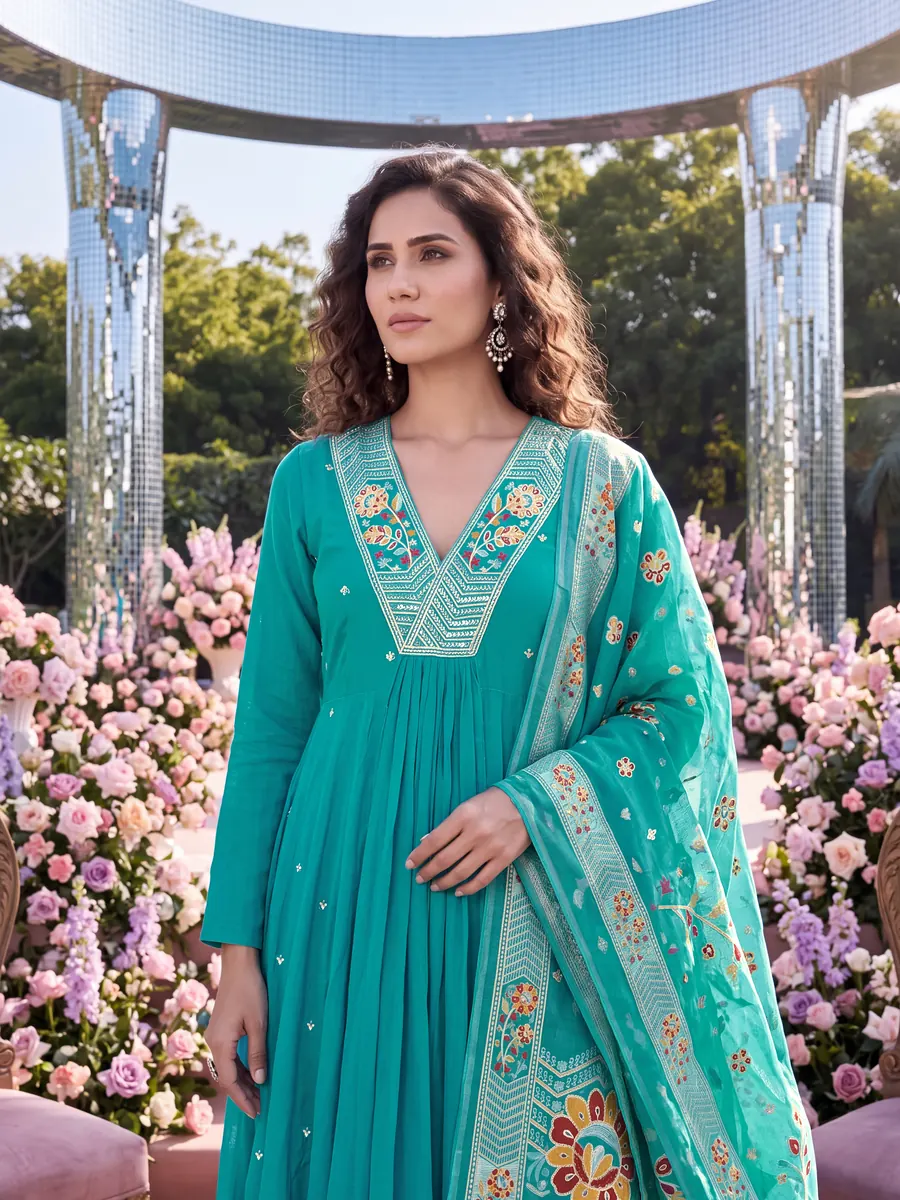
Whatever you choose, look at the photo at the size a buyer will see it. On a phone, a full-body shot at 1K or 2K usually reads fine. The problem tends to show on details: embroidery, borders, buttons and prints. Zoom in on those areas and compare with the real garment.
If detail is where the photo disappoints, a bigger size will not always fix it. The source photo matters at least as much. A sharp, evenly lit garment photo with close-ups of embroidery gives the model more to work with at any size. We explain why in our engineering post on how the model reads detail.
Where we would not spend credits
- Do not run a whole catalogue at 4K because it feels safer. It costs 3.9 times as much as 1K, and the channels most sellers use do not always show the difference.
- Do not use 1K for the one photo you will crop into. There is little room to recover.
- Do not judge a design from a single try at any size. We lose some requests: 90.4% of 1K, 96.7% of 2K and 89.5% of 4K calls delivered an image. A failed photo is refunded automatically, so retrying costs time, not credits.
Frequently asked questions
How many credits does each AI photo size cost?
1K costs 9 credits, 2K costs 25 credits and 4K costs 35 credits per photo. The first 2K photo is free and needs no card.
Which size is best for WhatsApp?
1K is usually enough, since WhatsApp compresses images when you share them. Save credits for more photos.
Is 4K worth it for Amazon or Myntra?
Sometimes. If you want zoom or heavy cropping, 4K gives more room. Check your seller panel for the current minimum image size before choosing.
Is a 1K photo just a smaller 2K photo?
No. 1K uses a lighter Gemini image model and 2K and 4K use Nano Banana 2.1, so fine detail can differ between them.
Do credits expire?
No. Credits never expire, so you can buy a small pack and use it over time.
How this guide was made: it was written with AI tools and published by DrapifyApp, using our own product details and pricing. Marketplace fees, rules and tax rates change, so confirm figures in your seller panel or with your accountant before acting on them.
Create a free photo — first 2K photo free, no card.