How AI Keeps Embroidery Detail: The 258-Token Problem
· · 8 min read · By DrapifyApp · AI-assisted, approved by Nirav Italiya, founder (editorial policy)
Why does AI lose embroidery detail in fashion photos?
AI image models read each input image at roughly 258 tokens, so on a full flat-lay the neckline embroidery is only a few dozen pixels wide inside the model. We fixed this by automatically adding zoomed close-up crops of decorated regions to the same request, plus a rule to keep every thread colour.
The problem sellers kept showing us
This post is written by Nirav, the founder, who built DrapifyApp. It is about one specific failure that we spent a lot of time on: garment detail getting lost.
The pattern was consistent. You upload a clear photo of a kurti or saree. The generated photo looks good at first glance, with the right silhouette, the right main colour and a convincing model. Then you zoom in on the neckline. Thread colours have shifted, an outline thread is missing, hanging beads have gone, or a motif has turned into a generic pattern. A buyer would not notice at thumbnail size. A buyer who zooms, or one who receives the real garment, would.
For Indian fashion, that is not a small flaw. Embroidery, borders and beadwork are often the reason someone buys the piece. If a photo cannot be trusted on those details, it cannot be trusted at all.
What we found: roughly 258 tokens per image
The cause was not the prompt wording or the model's taste. The root cause we found is simpler and a bit humbling: the image model reads each input image as roughly 258 tokens.
A token is the unit a model works in. 258 of them is not a lot of room to describe a whole photograph. When the input is a full flat-lay of a garment, the neckline embroidery occupies a tiny part of the frame, and a tiny part of 258 tokens is very little. On a full flat-lay, the embroidery ends up as only a few dozen "pixels" inside the model. Small thread colours, outline threads and hanging beads simply do not survive that.
Once we saw this, the behaviour made sense. The model was not ignoring the embroidery. It could barely see it. Asking it more firmly in the prompt could not recover information that never entered the model in the first place.
Fix one: automatic close-up crops
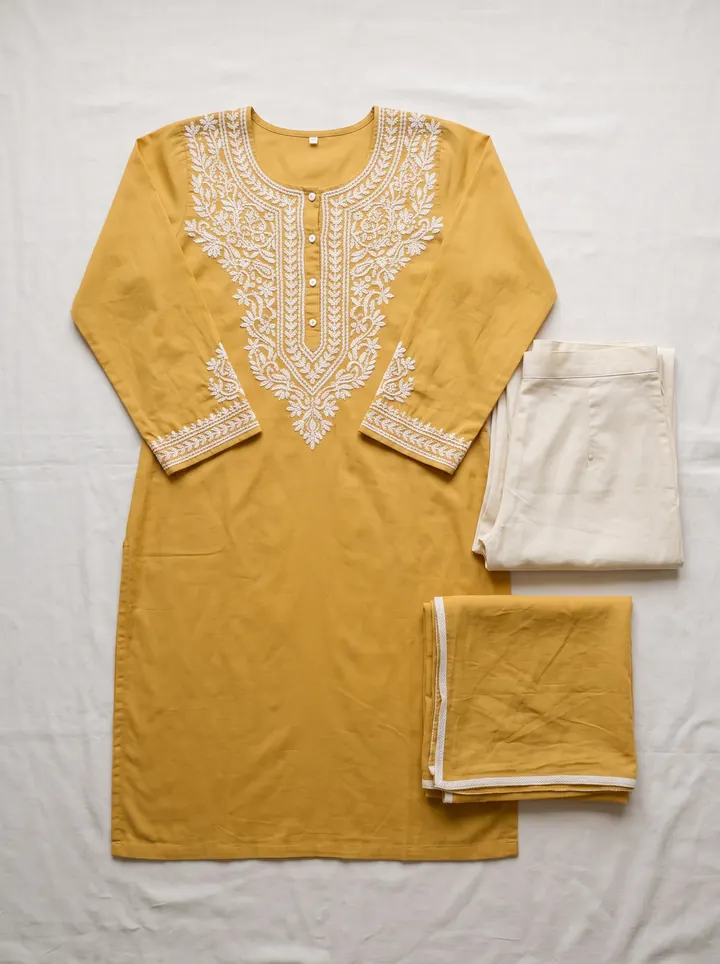
If the model sees each image at the same low budget, the way to give it more detail is to give it more images. So the server now looks for decorated regions on the uploaded garment photo, finds them automatically and adds zoomed close-ups of them next to the full garment photo, in the same request.
- Each close-up is 1024 px.
- There are at most 2 close-ups per garment and 3 per request.
- They go into the same request as the main photo, so the model sees the whole garment and the zoomed detail together.
- It happens automatically. You do not choose crops or upload extra pictures for it.
The limit of 2 per garment and 3 per request is a real limit, and we should say so. As we understand it, every extra image is another read at that same small budget, so we have to choose which regions matter most. A garment with embroidery on the yoke, the sleeves, the hem and the dupatta has more decorated regions than we can crop, and the ones that are not cropped get the old, lower level of detail.
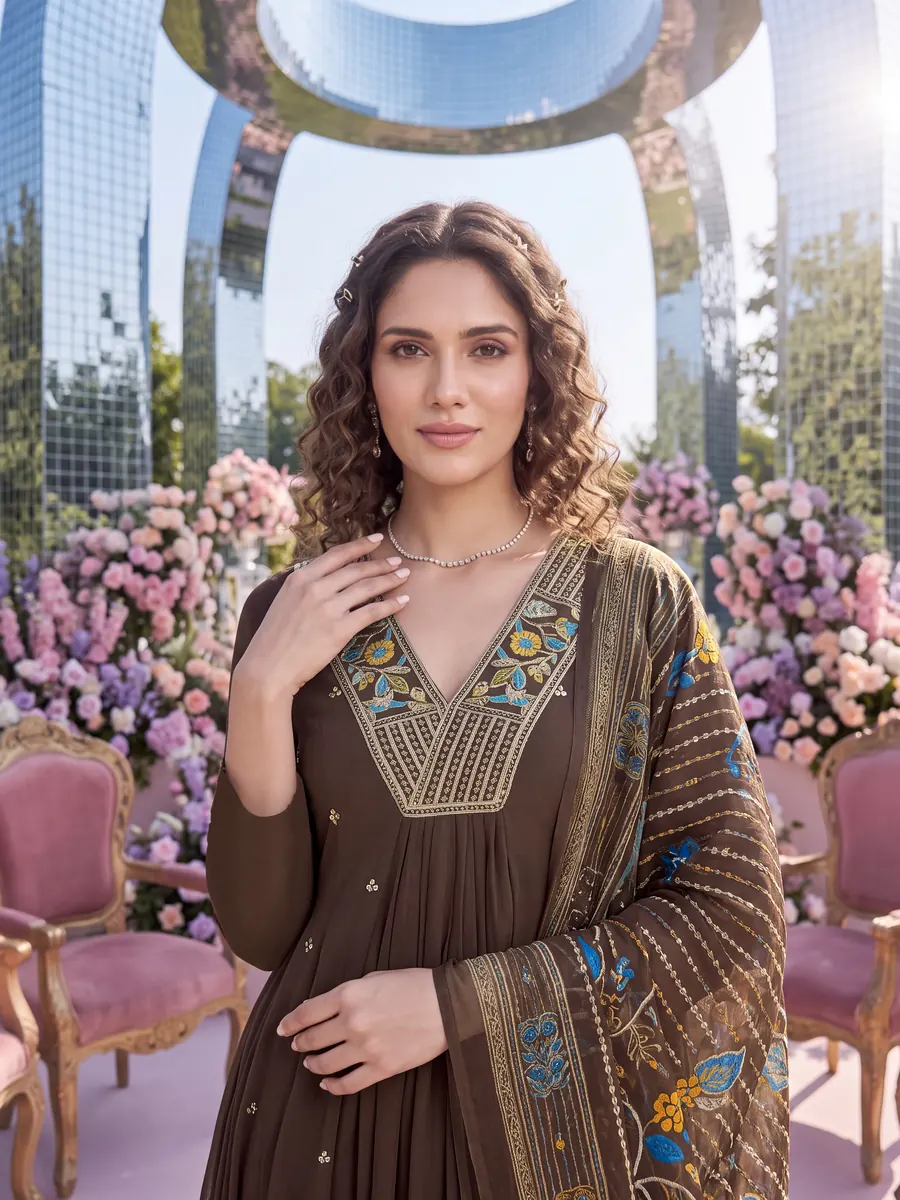
Fix two: a thread-colour rule, not an extra AI call
Close-ups give the model the information. We also needed to tell it what to do with it. So alongside the images, the request carries a rule: keep every thread colour, copy the pattern geometry, and treat creases as creases, not seams.
That last clause is there because, in a photo, a crease and a seam can look alike, and a model that reads a crease as a seam will draw a panel that the real garment does not have.
For colour variants, the request gets a variant of the same rule, because recolouring has its own way of going wrong. We cover that in our colour variants article.
A design decision we are happy with: none of this adds an extra AI call. The crop detection and the rule are done by the server, and the whole thing goes in one request to the image model. There is no second AI request to wait for.
What we tried and dropped: naming colours from pixels
Before settling on the rule, we tried something that seemed cleverer. We measured colours in the garment from the pixel values and told the model their names, so that it would not have to guess.
It failed on a basic case. A navy thread and a teal shadow were indistinguishable from pixel values alone. A confident wrong colour name given to the model is worse than no name, so we dropped the approach and kept the rule.
It is a useful reminder that a seemingly more precise method can be worse. Sometimes the honest answer is to give the model the image at a better zoom and let it look.
Face masking for photos that already have a person
Many sellers do not have a flat-lay. They have a photo of someone wearing the garment, taken for another channel or supplied by a manufacturer. Those photos create a different problem. If the model is given a person wearing the garment, it can copy the wearer's face and skin tone into the new photo, when what you wanted was the new model's face.
So when an uploaded garment photo already has a person wearing it, the server greys out every face using an on-device face detector. The detector takes about 75 ms. The new model's chosen face and skin tone are then used, not the original wearer's.
We also made a deliberate trade-off. Photos with a person in them get no close-up crops. When we tried cropping them, the detector-driven crops caught bangles and purses, so the model was handed zoomed pictures of accessories instead of embroidery. For these photos, the detail you get depends mostly on how clear the original is.
What happens for each kind of upload
| What you upload | Close-up crops | Face handling | Thread-colour rule |
|---|---|---|---|
| Flat-lay or hanger photo of the garment | Up to 2 per garment, 3 per request, 1024 px each | Nothing to mask | Applied |
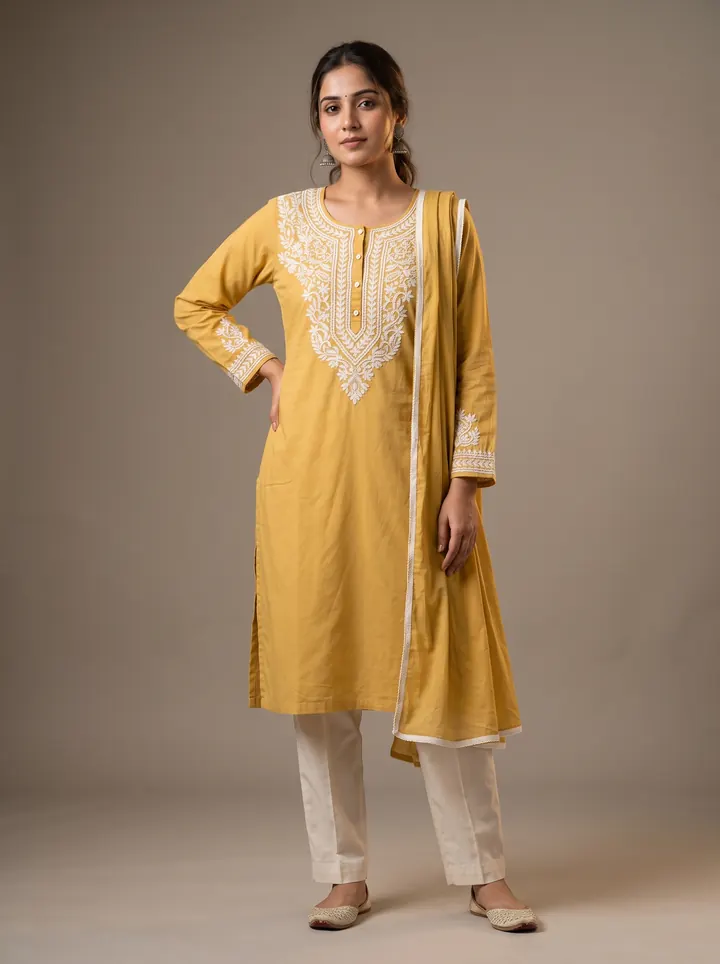
| Photo of a person wearing the garment | None | Every face greyed out first (about 75 ms) | Applied |
The thread-colour rule is applied on every request, and recolour requests get a variant of it. The crops and face masking depend on what your upload looks like.
Where it still falls short
None of this makes the output exact. We would be misleading you if we said it did.
- Crops are limited to 2 per garment and 3 per request, so dense designs will lose detail in regions we cannot crop.
- Photos with a person wearing the garment get no close-ups, so their detail depends on how sharp and large the original is.
- The crops come from your upload. A blurry or low-resolution original gives blurry crops, and no rule can recover thread colour the camera did not capture.
- 1K photos are generated on a lighter, cheaper Gemini image model, while 2K and 4K use Nano Banana 2.1 with minimal thinking. Fine detail can differ between them.
- Success here means an image was delivered. Garment-to-photo requests delivered 95.8% of the time in our logs and colour variants 86.0%, but delivered does not mean every thread is right.
What to photograph for better detail
Because the crops come from your upload, the best thing a seller can do is make the upload easy to crop:
- Photograph the garment flat or on a hanger against a plain background, filling the frame.
- Use even, bright light and avoid heavy shadows across the neckline and borders.
- Keep the embroidery in focus. Tap the neckline on your phone before you take the photo.
- Upload the original file, not a copy compressed by a messaging app.
- Keep accessories, tags and props out of the shot. Bangles and purses were exactly what fooled the person-photo crops.
- After generating, zoom in on the neckline, borders and hems and compare them with the real garment.
One more practical note. If a failed photo does not come back, you are not charged: failed photos are refunded automatically. If the photo comes back with the wrong thread colour, that is not a failure the system can detect, so regenerate it or reshoot the source.
Frequently asked questions
Why does AI lose embroidery detail?
The image model reads each input image at roughly 258 tokens. On a full flat-lay, neckline embroidery is only a few dozen pixels inside the model, so small threads and beads get lost.
Does Drapify make an extra AI call to fix detail?
No. The server adds zoomed close-ups and a thread-colour rule to the same request, so there is no second AI call.
How many close-ups are added?
Up to 2 per garment and 3 per request, each 1024 px. Photos that already have a person wearing the garment get no close-ups.
Does the app copy the face of the person in my photo?
No. If your garment photo has a person in it, every face is greyed out before generation, so the new model's face and skin tone are used.
What should I photograph to get better detail?
A sharp, evenly lit, uncompressed photo of the garment against a plain background, with the embroidery in focus and no accessories in the frame.
How this guide was made: it was written with AI tools and published by DrapifyApp, using our own product details and pricing. Marketplace fees, rules and tax rates change, so confirm figures in your seller panel or with your accountant before acting on them.
Create a free photo — first 2K photo free, no card.