
Business card maker
Free · No signup · Guide approved 18 November 2026 by Nirav Italiya, founder · How we check guides
How do I make a business card online?
Enter your name, business and contact details, add your logo and a QR code to your website, then pick one of four designs and your brand colour. The card previews live at true proportions and downloads as a 300 dpi PNG or a print-ready sheet of 10 cards in US (3.5 × 2 in) or EU/India (85 × 55 mm) size.
Print at 100% scale on 300 gsm card, or send the PNG to a print shop. Leave a few millimetres inside the edge for trimming.
Brand ready, photos next
On-brand model photos for every product
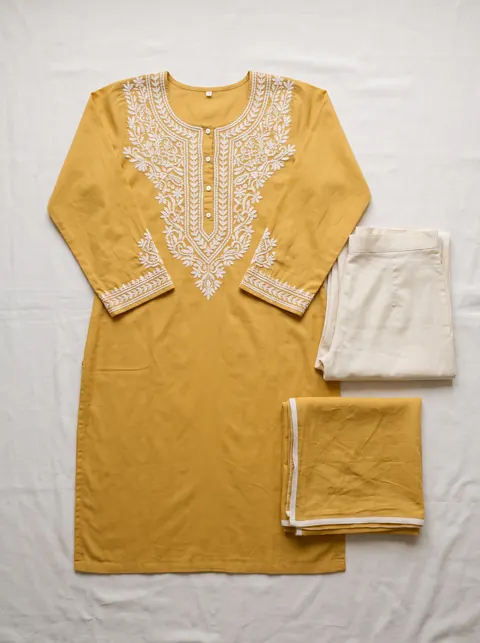
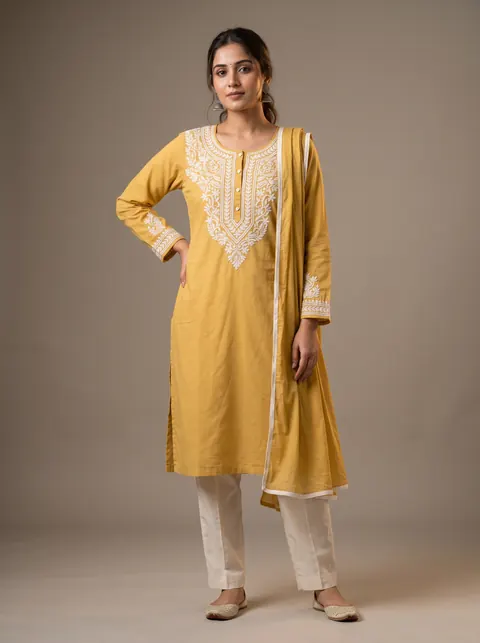
You have the colours and the name. Put each garment on an AI model in a setting that matches your brand, without a studio.
- First 2K photo free, no card
- Ready in about 3 minutes
- Full commercial rights
How to use it
- Enter your details and add a logo.
- Pick a design and colour.
- Choose US or EU size.
- Download the print sheet or PNG.
Who this is for
This tool is for sellers, makers and freelancers who need a simple card to hand out at a market stall, put in a parcel, or give to a supplier, and who do not want to open a design program. You type your name, title, business, phone, email, website and a line for an address or tagline, add a logo if you have one, and see the card update live.
It is aimed at small print runs. You can download a single card as a 300 dpi PNG to send to a print shop, or a PDF page with ten cards on it that you print at home or at a local copy shop and cut out. The card is made in your browser, so the logo you add is not uploaded.
What the four designs are for
- Split puts a block of your brand colour on the left with your logo (or the first letter of your business name if you have no logo) and your details on the right. It is the most balanced choice if you have a logo.
- Minimal is a white card with a thin colour strip along the bottom. It prints cleanly on any paper and is the safest option for a home printer.
- Bold fills the whole card with your colour and picks white or dark text automatically, depending on which is easier to read on that colour.
- Dark uses a near-black background with a coloured vertical line. It looks striking but uses a lot of ink, so a home printer may leave streaks across a large dark area.
Sizes and how the sheet is laid out
There are two card sizes. The US size is 3.5 × 2 inches, which is 1050 × 600 pixels at 300 dpi. The EU and India size is 85 × 55 mm, which is about 1004 × 650 pixels. The tool opens with the size that matches your region and you can switch it.
The print sheet places ten identical cards in two columns and five rows, centred on the page. US-size cards are placed on US Letter paper, and 85 × 55 mm cards on A4. The cards touch each other with no gaps, so each cut is shared between two neighbours.
| Card size | Paper | Left and right margin | Top and bottom margin |
|---|---|---|---|
| 3.5 × 2 in | US Letter (8.5 × 11 in) | 0.75 in | 0.5 in |
| 85 × 55 mm | A4 (210 × 297 mm) | about 20 mm | about 11 mm |
Printing and cutting well
In the print dialog choose “Actual size” or 100%, not “Fit to page”, otherwise the cards come out slightly smaller than a standard card and will not fit a card holder. Print one sheet on plain paper first, hold a real card against it, and check the size and the position of the text.
The sheet has no crop marks and no bleed, which means there is no extra coloured margin beyond the card edge. If you cut a little off line on a Bold or Split card, a thin white sliver can show at the edge. Use a ruler and craft knife or a guillotine, cut the long lines first, and consider the Minimal design if you will be cutting by hand. For larger runs, send the PNG to a print shop and ask whether they add bleed for you.
Card stock is thicker than most home printers like. Check your printer’s maximum paper weight before you load heavy card. The 300 gsm suggestion on the page is for a good feel; thinner card is easier to run through a printer.
The QR code and the small text
When “QR code to website” is ticked, the tool turns the website field into a QR code and prints it in the bottom right corner. On the US size it is about 13 mm square (0.525 inches), on the EU size about 12.75 mm. That is small. Test it by printing a card and scanning it with two or three different phones before you print a batch. If a phone struggles, link to a shorter web address, which makes the code simpler and easier to scan.
The contact lines are about 7 to 7.5 point type, which is readable on a card but not generous. If your phone number or website is long, the tool shortens it with an ellipsis to keep it clear of the QR code, so check the preview to be sure nothing important is cut off. Shorten the address or tagline rather than accepting a truncated line.
Printing at home or a shop
Print the sheet at 100% on 300 gsm card and cut along the edges, or send the PNG to a print shop.
Add a QR code
A QR code to your shop link lets people go straight from the card to your products.
Common mistakes
- Printing at “Fit to page” and ending up with cards that are not the right size.
- Putting a low-resolution or heavily compressed logo on the card. Use a clear PNG, ideally larger than 500 pixels across.
- Using a very light brand colour as the background in the Bold design. The tool will pick dark text, but the card may look washed out when printed.
- Printing a batch before scanning the QR code from the actual paper.
- Filling every field. A card with a name, one phone number or email, a website and a logo is easier to read than one with six lines.
What this tool can’t do
- The sheet has no bleed, no crop marks and no gaps between cards. For professional printing, ask the printer for their own template.
- There is one design on a sheet. You cannot mix different names on a single page, so print one sheet per person.
- The layout is fixed to four designs. You cannot move elements around or add a second line of text, a second logo or a back side.
How this guide was made: drafted with AI assistance from the tool’s own calculations and behaviour, then checked against our editorial policy and approved by the founder before publishing.
Questions
- What size is a business card?
- 3.5 × 2 inches in the US and Canada; 85 × 55 mm in Europe, the UK, India and many other countries.
- Is my logo uploaded?
- No. The card is made in your browser.
- How do I make a business card with a QR code?
- Enter your details, add a link or WhatsApp number for the QR code, choose a layout and download a print-ready PDF.
- What size should a business card be?
- The US and Canada standard is 3.5 × 2 inches, and Europe commonly uses 85 × 55 mm. Many Indian printers also use 3.5 × 2 inches.
- Can I print it at home?
- Yes. The PDF prints on A4 or Letter sheets with cut marks, or you can send it to a print shop.
Related free tools
- Business name generatorBrand and shop name ideas from your words, styled for fashion, jewellery, beauty or home.
- Colour palette generatorMake complementary, analogous or triadic palettes from one colour, with contrast checks.
- QR code generatorQR codes for links, WhatsApp chats, UPI payments and text, with a caption.