AI model photoshoot

AI model photoshoot for your clothes, in about 3 minutes.

Upload one photo of your garment, choose who wears it, and get a full set of on-model catalogue photos with the same model in every pose. No studio, no model booking.

See pricing
One garment photo in 40+ looks, 8 body types Same model across poses 1K, 2K and 4K downloads
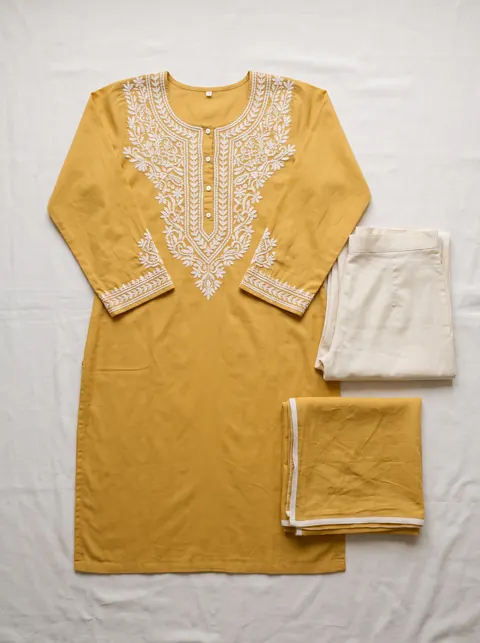
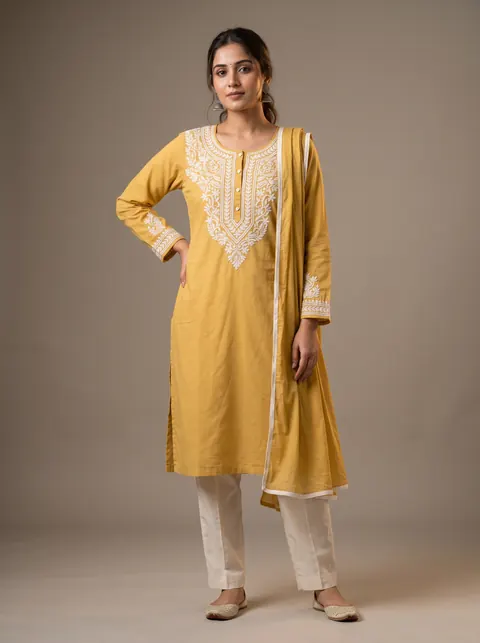
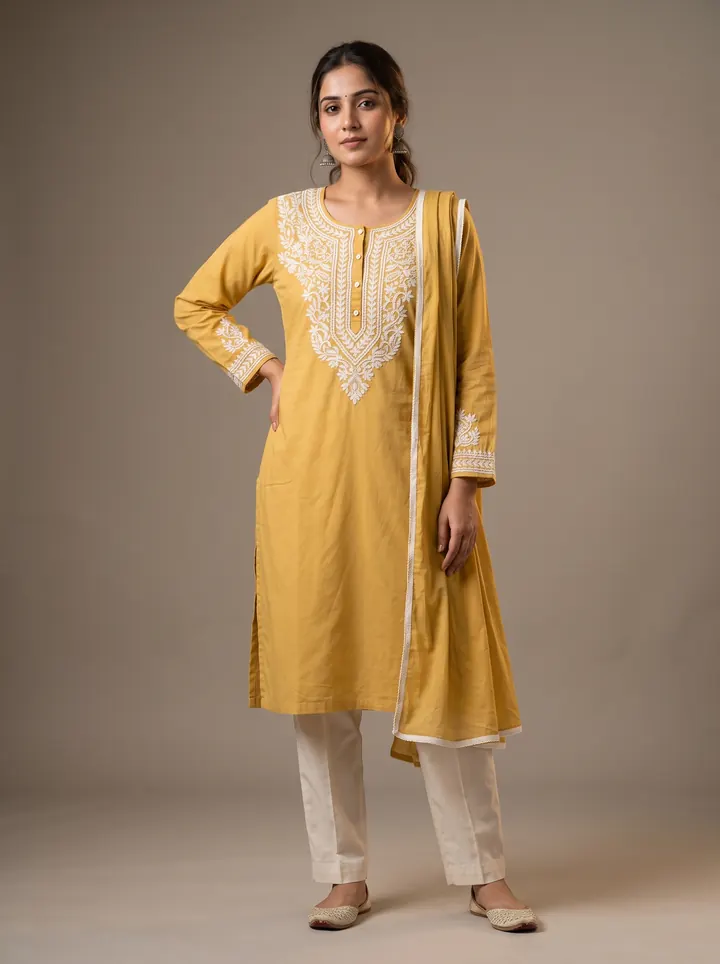
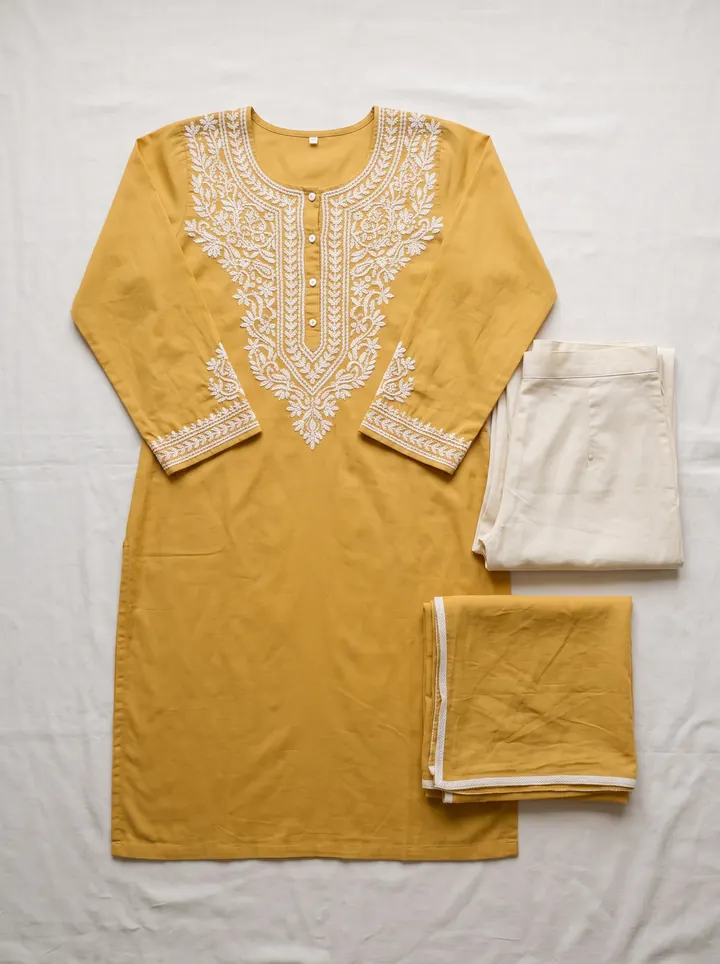
AI model wearing the kurti — made with DrapifyThe kurti as a plain flat-lay phone photo
Phone photo✨ Drapify
‹ ›
Drag the line

Real output · drag to compare · tap a garment

Quick answer

What is an AI model photoshoot and how does it work?

An AI model photoshoot puts your real garment on a photorealistic AI-generated model. You upload a photo of the garment (flat-lay, hanger or mannequin), choose the model’s look, pose and background, and the tool generates on-model photos in minutes. It replaces booking a model, photographer and studio for catalogue and listing photos.

AI model photoshoot
An AI model photoshoot is a method of producing on-model clothing photos with image generation: a photo of a real garment is rendered onto a synthetic, photorealistic model, so no human model or studio session is needed.

A traditional model shoot needs a model, a photographer, a studio or location, styling and retouching, and it has to be booked days ahead. An AI model photoshoot keeps the one thing that matters to a buyer, your real garment, and generates everything else. You photograph the garment once on a plain surface, choose the model you want, and DrapifyApp produces on-model photos with the drape, print and colour taken from your photo. The same model carries across every pose, so a 12-shot set reads as one session. It is built for catalogue and listing photos: marketplaces, your own store, WhatsApp catalogues and ads.

Why traditional ai model photoshoot slows sellers down

  • Model shoots cost too much to repeat for every new style or colour
  • New stock sits unlisted while you wait for a shoot date
  • Flat-lay photos do not show fit, fall or length on a body
  • Different shoot days give inconsistent models, light and backgrounds across the catalogue

Side by side, honestly

AI model photoshootTraditional model shoot
What you needOne photo of the garmentModel, photographer, studio, stylist
Time to photosAbout 3 minutes per setBooking plus shoot day plus retouching
Same model across catalogueYes, identity is lockedOnly if the same model is rebooked
Cost per photo on DrapifyApp₹9 at 1K, ₹25 at 2K, ₹35 at 4K (Business pack)Depends on day rates; quote per shoot
Best forCatalogue, listings, daily drops, colour variantsHero campaigns, editorial, video

The playbook, step by step

  1. 1

    Photograph the garment flat on a plain, light surface in daylight, with the whole piece in frame.

  2. 2

    Smooth out creases and show prints, borders and embroidery clearly; the AI can only keep detail it can see.

  3. 3

    Upload the front first; add a back or detail photo for pieces with back work or heavy embellishment.

  4. 4

    Pick the model to match your buyers: gender, age range, body type and look.

  5. 5

    Choose the pose set and background, and the aspect ratio your marketplace wants.

  6. 6

    Render at 2K for marketplace listings and 4K where buyers zoom or for print.

  7. 7

    Check every photo against the real garment before listing: colour, print placement and length.

Why brands use Drapify for ai model photoshoot

Choose who wears it

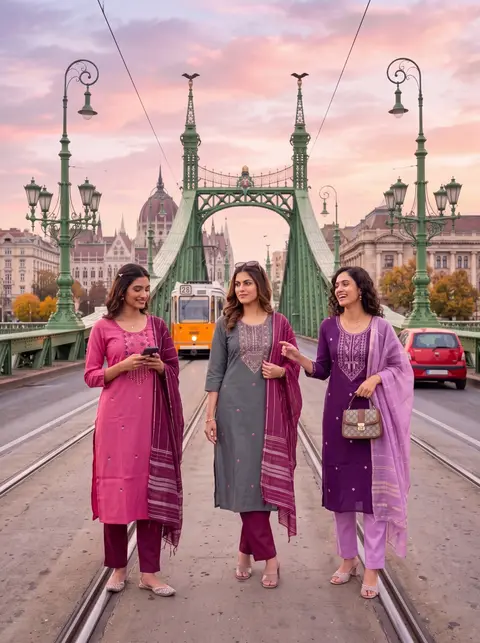
40+ looks and skin tones, 7 age ranges, 8 body types from slim to Plus 5XL, men, women and kids.

Same model in every pose

Model identity stays locked across the pose set and colour variants, so the gallery looks like one shoot.

100+ backgrounds

Studio white for marketplaces, plus lifestyle and heritage scenes for your store, social and ads.

About 3 minutes

A full catalogue set from one upload, so new stock can go live the same day.

Commercial rights included

Every image is yours to use on listings, ads, packaging and social — no extra licensing fee.

Credits back on failure

If a pose fails to render, the credits return to your balance automatically. You never pay twice.

What you upload, and what the AI keeps

The input is a single clear photo of the real garment: laid flat, on a hanger or on a mannequin. That photo is the source of truth for everything a buyer checks, the colour, print, neckline, sleeve, border and length.

The model, pose, light and background are generated around it. That split is why the input matters so much: a sharp, evenly lit photo with the whole garment in frame gives a faithful result, and a dark or cropped one gives the AI less to work from.

For sarees, lehengas and other draped or heavily worked pieces, upload the pallu, border or back as extra photos so the detail is carried into the right place.

Choosing the model

Pick the model the way you would cast a shoot: for the buyers you sell to. DrapifyApp offers men, women and kids, 7 age ranges, 8 body types from slim to Plus 5XL and more than 40 looks and skin tones.

Once chosen, the model's identity is locked for the shoot. Every pose and every colour variant uses the same face and body, which is what makes a catalogue look professional rather than assembled from different sources. The faces are synthetic and original, not look-alikes of real people, so they are safe to use in listings and paid ads.

Where an AI model photoshoot works best, and where it does not

It works best for catalogue and listing photos: front, back, side and detail shots on a clean background, colour variants of one style, and a steady stream of new stock that needs photos the same day.

It is weaker where a shoot depends on a real person or a real place: campaign films, influencer content, or a specific named location. Very fine detail, such as dense zari or tiny prints, needs a sharp close-up in the upload to come through cleanly, and every photo should be checked against the real garment before it goes live. Buyers return clothes that do not match their photos, so accuracy matters more than polish.

What it costs

DrapifyApp charges in credits, and a photo costs 9 credits at 1K, 25 at 2K and 35 at 4K. On the Business pack (₹2,499 for 2,500 credits) that works out to about ₹9, ₹25 and ₹35 per photo. Packs start at ₹199, credits never expire, and the first 2K photo is free with no card.

Use 1K for WhatsApp, Meesho and Instagram, 2K for Amazon, Myntra and most online stores, and 4K for zoom-heavy listings, ads and print.
AI model photoshoot FAQ

It is a way to get on-model clothing photos without a human model. You upload a photo of your real garment, choose the model, pose and background, and the AI generates photorealistic photos of the garment being worn.
Yes. A clear phone photo of the garment laid flat on a plain surface in daylight is enough. Keep the whole garment in frame and avoid harsh shadows so colour and print come through accurately.
Yes. Model identity is locked across every pose and colour variant, so your full set looks like one continuous session with one model.
Marketplaces judge the image, not how it was made: it must show the actual product accurately, in the required size and background. AI model photos that match the real garment and follow each marketplace’s image rules can be used in listings. Check the current guidelines in your seller panel.
Yes. Faces are original and synthetic, never celebrity look-alikes, and every image comes with commercial rights for listings, ads, packaging and social media.
8 body types from slim to Plus 5XL, 7 age ranges, men, women and kids, and 40+ looks and skin tones, including Indian, South Asian and global looks.
On DrapifyApp a photo costs 9 credits at 1K, 25 at 2K and 35 at 4K, which is about ₹9, ₹25 and ₹35 on the Business pack. Packs start at ₹199, credits never expire and the first 2K photo is free.
First 2K photo free · No card

Try your first ai model photoshoot shoot free.

Add one photo of your garment and get model photos in about 3 minutes. No sign-up until you tap Generate.