What are the main Amazon India apparel image requirements?
The main Amazon India apparel image requirements state that your primary 'MAIN' image must have a pure white background (RGB 255, 255, 255), be at least 1000 pixels on the longest side, and show the product filling at least 85% of the frame. I spent years in a Mumbai studio, and trust me, these aren't suggestions; they are hard rules that Amazon's system automatically checks. Getting them wrong means your product simply won't go live, no matter how great it is.
Think of it this way: Amazon wants its search results page to look clean and uniform. Every product, from a ₹300 t-shirt to a ₹30,000 lehenga, has to sit on that perfect white. It creates a consistent, trustworthy shopping experience. Your creativity can shine in the other six images, but the main one belongs to Amazon's layout.
| Requirement | Specification | Why it Matters |
|---|---|---|
| Background (MAIN image) | Pure White (RGB 255, 255, 255) | Automatic rejection for off-white, grey, or lifestyle backgrounds. |
| Image Size | Minimum 1000px, Recommended 1601px+ on the longest side | Enables the zoom function, which customers use constantly. |
| File Format | JPEG (.jpg), TIFF (.tif), PNG (.png) | JPEG is the most common and recommended for fast loading. |
| Color Mode | sRGB or CMYK | sRGB is the web standard and ensures colors look accurate online. |
| Frame Fill | Product must occupy 85% or more of the image area | Maximizes visibility on small mobile screens. |
| Prohibited in MAIN image | Text, logos, watermarks, borders, multiple views | Keeps the main image clean and focused only on the product. |
You can check the full, updated guidelines in your Amazon Seller Central account under 'Image standards'. They do change occasionally, so it’s good practice to look once a year.
Why does Amazon reject photos for a 'non-pure white background'?
Amazon rejects photos for this reason because their automated system detects that the background is not pure, digital white, which is defined as RGB(255, 255, 255). A common mistake sellers and even some studios make is shooting on a white paper or cloth background that looks white to the eye but is actually a light grey (like RGB 245, 245, 245) in the final image file. The algorithm sees this difference instantly.
The Fix: This isn't about better lighting; it's a post-production step. Your product needs to be 'cut out' from its original background and placed onto a new, digitally created pure white layer. Every photo editor from a local shop in Tirupur to a big agency in Delhi knows how to do this. You have to specifically ask for an 'RGB 255 white background for marketplace listings'. Don't just say 'white background'.
“I’ve seen sellers spend ₹50,000 on a shoot, only to have all 200 main images rejected because the photographer delivered an off-white background. It's a painful and completely avoidable cost.”
How many images should I upload for an Amazon fashion listing?
You should upload at least seven images for every Amazon fashion listing to use all the available slots and maximize your conversion rate. Amazon's own data shows that listings with more images sell better because customers can't touch or feel the product; your photos have to do all that work. Leaving slots empty is like leaving money on the table.
Here's a simple checklist you can use for your next shoot. Think of it as telling a story about your product.
Can I use AI-generated model photos on Amazon India?
Yes, you can absolutely use AI-generated model photos on Amazon India, provided they meet all the technical requirements like background color, pixel dimensions, and frame fill. Amazon's quality control system is automated; it checks for technical compliance, not whether the model was physically present in a studio. The key is that the final image must look realistic and accurately represent the product you are selling.
This is where tools can make a huge difference. For example, with an app like DrapifyApp, you can take a single flat-lay photo of your garment, and the AI will generate multiple on-model images that are already compliant with Amazon's pure white background rule. You don't have to worry about editing. This solves the biggest rejection reason automatically. It's a faster and often cheaper route than a traditional shoot, especially when you have dozens of new SKUs for the Diwali season rush. For a full breakdown, you can read our guide on whether AI photos are allowed on marketplaces.
3 Minutes
Time to generate a model photo with AI
₹9 - ₹35
Cost per photo using DrapifyApp
RGB 255
Guaranteed background compliance
How much of the image should my product fill?
Your product must fill at least 85% of the height or width of the image frame, whichever is longer. This rule is crucial for mobile shoppers on the Amazon app, where screen space is limited. If your product looks like a small dot in a sea of white, customers will just scroll past it. You want your saree's pallu details or your shirt's collar to be instantly visible and tappable.
Imagine a customer scrolling through hundreds of kurtis. The thumbnail is tiny. The listing with the kurti filling the frame looks bigger, more professional, and more detailed. The one that's only filling 50% of the frame looks amateur and gets ignored. Cropping is not an artistic choice here; it's a sales tool.
What's the best way to show different color variants?
The best way to show color variants is to create a separate 'child SKU' for each color and provide a full set of seven images for each one, with the main image clearly showing that specific color. Traditionally, this was a nightmare. If you had a t-shirt in five colors, you had to pay for five separate photoshoots, or at least five different model sessions. It's expensive and slow.
Today, you don't have to do that. AI tools have completely changed this. With a service like Drapify Studio, you can shoot one color—say, a black kurti—and then digitally generate the other color variants like red, blue, and yellow on the same model in the same poses. The result is perfectly consistent, incredibly fast, and saves you a fortune in reshoot costs. You can generate color variant photos with AI models in minutes, not weeks, which is a huge advantage for fast-fashion sellers.
Who are these strict image rules NOT for?
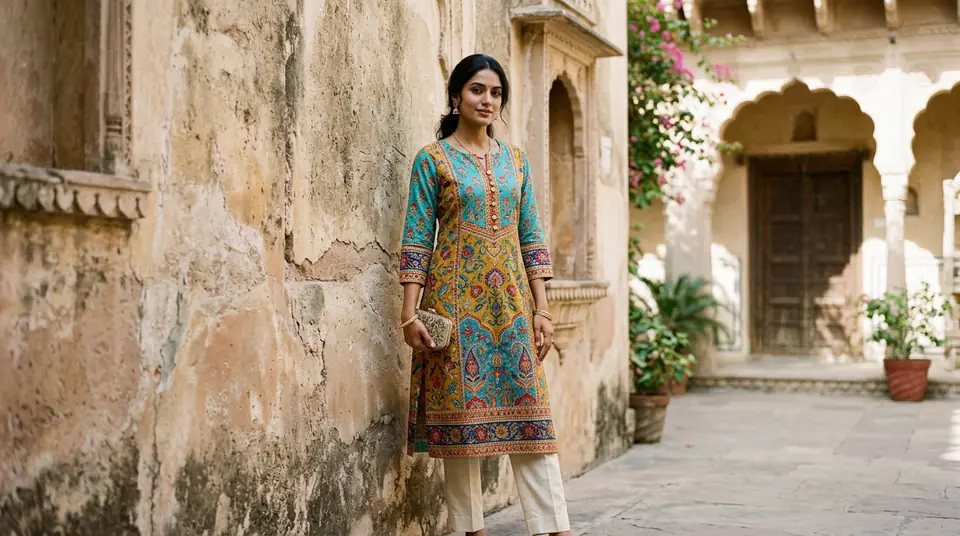
These strict, pure-white-background rules are not for sellers using platforms that prioritize brand aesthetic over marketplace uniformity, such as your own Shopify store, Instagram, or a WhatsApp Business catalogue. On those platforms, you have complete creative control. A beautiful lifestyle image shot in a Jaipur fort might be your best-performing main image.
The goal is different. On Amazon, you're a guest in their house, following their rules to fit their search results. On your own site, you are the host. You make the rules. So while good photography principles always apply—clear lighting, high resolution, showing the product well—you are not tied to RGB(255, 255, 255). You can, and should, create a unique visual brand identity. The approach for Shopify fashion photography is fundamentally different from shooting for Amazon or Myntra.