The Overloaded Desk in Surat
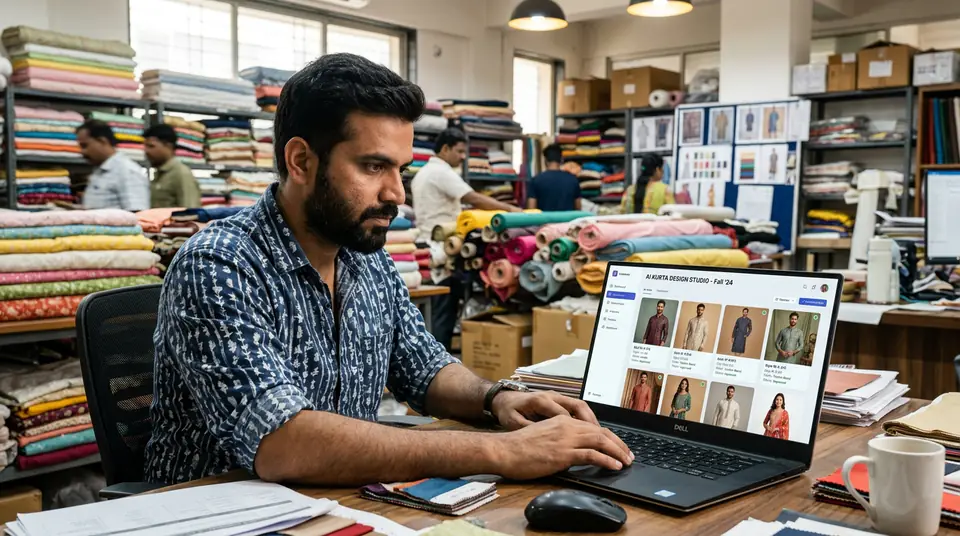
This is an illustrative example, not a real seller. Imagine a Surat wholesaler of affordable kurtas with 150 new designs to list before Diwali. Each needs a model photo and a few extra angles, and his phone-shot flat lays sell slowly. A local studio quotes ₹250 per product with a model, and a week or more of turnaround.
The Cost and Time Problem
At the assumed ₹250 per product, 150 new SKUs cost 150 x 250 = ₹37,500 for photography alone. That excludes reshoots when a listing is rejected for a grey background or shadows, and it multiplies if each design comes in five colours.
DIY with a phone, a cheap lightbox and white paper often fails on lighting and shadows. Cheaper studios (₹150 per product in this example) tend to use ghost mannequins, which are accepted but show drape less well than a person wearing the garment. Phone editing apps struggle with clean cutouts on fabric edges and with colour matching.
Studio rates vary a lot by city and category, so treat ₹250 as an example and plug in your own quote.
What an AI Product Image Generator Does
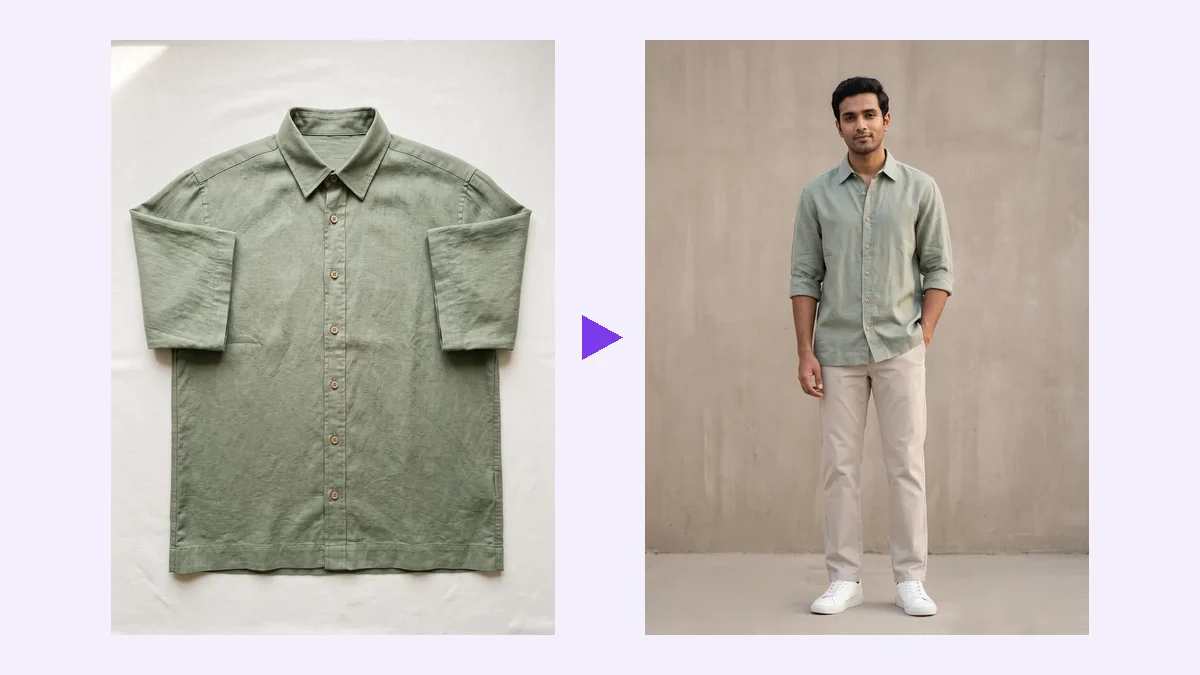
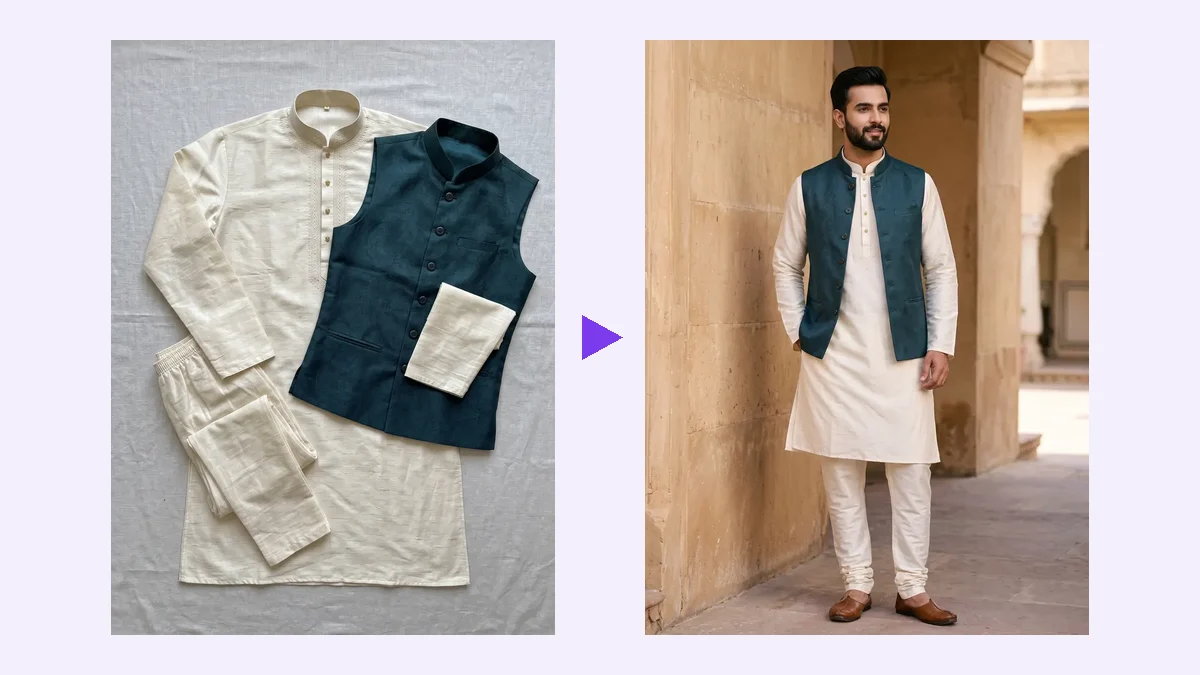
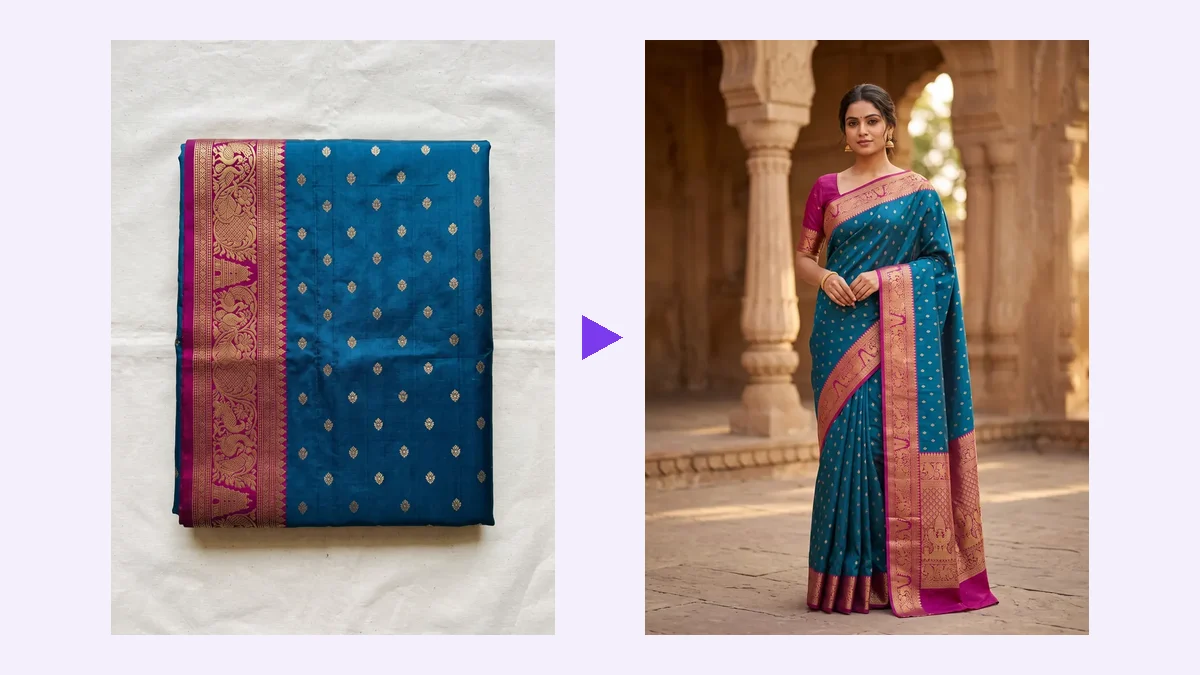
A generator such as DrapifyApp creates a new on-model photo from a flat-lay or hanger shot. It is more than background removal: the garment is placed on an AI model with lighting and shadows, and you can make the same garment on different models and poses. Our kurti catalogue photography page shows the process, and the Meesho product image generator page covers this use case.
A first photoshoot takes about 3 minutes. You can also keep the same model across a collection for consistency, and make colour variants from one garment photo without reshooting.
What it does not do: guarantee approval. Fabric details, small prints and embroidery should be checked at full size before you upload, and you can regenerate if something is off.
Meesho Image Guidelines: A Compliance Checklist
Meesho updates its rules, so confirm the current numbers in your supplier panel. The working spec we use, as last checked in October 2026, is below.
| Requirement | Working spec | Common mistake |
|---|---|---|
| Shape and size | Square 1:1, minimum 500x500 px | Rectangular or low-resolution files |
| Background | Clean white on the main image | Cream, grey or shadowed backgrounds |
| Product visibility | Garment fills most of the frame | Tiny product in a large white space |
| Text and logos | None: no watermarks, banners or prices | Sale banners on the image |
| Model | Clear view of the garment, natural pose | Blurred faces, awkward poses |
Whatever tool made the image, run this checklist on the final file. For the full rules see Meesho image size and photo requirements.
Worked Example: 150 Designs, Studio vs AI
Take the 150 designs from the example above with one model photo each.
- Studio at ₹250 per product: 150 x 250 = ₹37,500.
- DrapifyApp at 2K: a 2K photo costs ₹25 to ₹33 depending on the pack (₹25 on the largest pack, ₹33 on the smallest). 150 photos therefore cost about ₹3,750 to ₹4,950. A practical mix is one Business pack (100 photos, ₹2,499), one Pro pack (37 photos, ₹999) and one Starter pack (16 photos, ₹499): 153 photos for ₹3,997.
- With a second photo per design (back or detail), 300 photos on three Business packs cost about ₹7,497.
Even doubling the photo count leaves AI at under a quarter of the studio figure in this example. Credits never expire and there is no subscription, so unused credits carry over to the next catalogue. Turnaround is minutes per photo instead of days, but you should budget time to check each image and regenerate any weak ones. Your first 2K photo is free with no card, so you can test one garment before buying a pack.
Who This Is and Isn't For
| This suits you if... | This does not suit you if... |
|---|---|
| You list many apparel designs (kurtas, sarees, lehengas) and need consistent on-model photos | Your brand depends on bespoke editorial or designer photography |
| Colour variants force repeated reshoots | You already have a studio setup that delivers approved images on time and budget |
| You need fast turnaround for seasonal launches | Your main channel is Instagram or D2C, where styled editorial shoots matter more than clean product shots |
| You want to cut per-image photography cost | Your products need props or complex styling that AI cannot reproduce convincingly |
Getting Started
Start with one garment. Upload a clear, flat, well-lit photo, generate a 2K image, and check it against the checklist above at full size. If it passes, repeat for the rest of the catalogue and keep the same model across the collection for consistency.
Also look at how the result reads on a phone, where most Meesho browsing happens. If you want variety, use diverse Indian models across designs. Your first 2K photo on DrapifyApp is free, with no card.
The Path Ahead: Scaling Your Meesho Business
For Rajesh, adopting an AI Meesho product image generator like DrapifyApp changed everything. He now spends less than 5% of his previous photography budget. His listing approval rate on Meesho has shot up to nearly 98%, thanks to the consistent quality and adherence to guidelines. The time saved means he can focus on sourcing new designs, managing inventory, and improving customer service—areas that directly impact sales and growth. No more bottlenecks waiting for images.
This isn't just a technological upgrade; it's a strategic shift. It democratizes professional photography, putting high-quality visuals within reach for every Meesho seller, regardless of their budget or location. It means a small seller from a Tier 2 city can compete visually with larger brands. It means faster inventory turnover, fewer rejections, and ultimately, more profit. The ability to generate diverse Indian models for photoshoots also ensures his brand resonates with a wider audience.
The industry is moving. Embrace these tools. Your competitors are likely already exploring them. Don't get left behind wrestling with shadows and manual background removals. You can start with a free 2K photo on DrapifyApp to see the difference for yourself.