
Free packing slip generator
Free · No signup · Guide approved 18 November 2026 by Nirav Italiya, founder · How we check guides
How do I make a packing slip for an order?
Enter your shop and the customer’s shipping address, list the items with SKU and quantity, add a short note and download the packing slip. It shows no prices, so it is safe to put in the parcel, including gifts.
Items
| Description | SKU | Qty | |
|---|---|---|---|
Live preview
Updates as you type. The PDF is the same page at full print quality.
Enter the tax rate for each item; leave it at 0 if you don’t charge VAT. Your business details are saved in this browser for next time; nothing is uploaded. Invoice rules differ by country, so check what yours must show with your accountant.
Labels sorted, listings next
Make your next catalogue in minutes
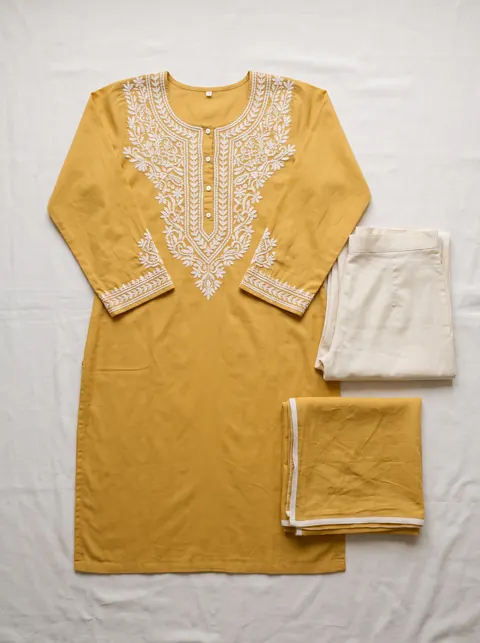
Put every new design on an AI model, in the colours you stock, without booking a shoot.
- First 2K photo free, no card
- Ready in about 3 minutes
- Full commercial rights

How to use it
- Enter your shop and the ship-to address.
- Add each item with SKU and quantity.
- Write a thank-you or returns note.
- Download, print and put it in the parcel.
Who this is for
This generator is for sellers who pack their own orders: a home business sending three or four orders a day, a boutique shipping gifts on a customer’s behalf, or a wholesaler sending mixed cartons to a shop that needs to check the contents on arrival. The slip goes inside the parcel and lists what should be in it, with SKUs and quantities but no prices.
It is also a picking aid. Printing the slip before you pack, then ticking each line as it goes into the box, catches wrong sizes and missing pieces before the parcel leaves rather than after a complaint.
Packing slip, invoice or shipping label?
These three documents are often confused, and each does a different job. A parcel usually needs the label outside and the slip inside; the invoice or receipt is better emailed, especially for gifts.
| Document | Where it goes | Shows prices? | Main job |
|---|---|---|---|
| Packing slip | Inside the parcel | No | Lists contents so the receiver can check them |
| Invoice or receipt | Email, or inside if not a gift | Yes | Records the sale and any tax |
| Shipping label | Outside the parcel | No | Gets the parcel to the right address |
Using the slip as a pick-and-pack checklist
- Write each line the way you would pick it: product, colour and size, for example “Linen shirt, sage, L”. Pickers look for size and colour first.
- Put the SKU or style code in the SKU column so returns can be matched to the right stock line.
- Enter quantity per line. The slip prints “Total items” at the bottom, the sum of all quantities, which is a quick count to compare with the box.
- Use the shop’s order number in the order number field, the same number your marketplace or website uses, so a customer’s query can be traced.
- Print, pick, tick each line, then fold the slip into the parcel.
What to write in the note
The note prints below the item list. It starts with a short thank-you; replace it with something useful to the person opening the box. Good notes are short and specific: how to wash the fabric, how to start a return or exchange (the steps, not the whole policy), and how to reach you. For gift orders, add the sender’s message here. Avoid discount codes for a “next order” on gift parcels, since the receiver did not place the order.
For wholesale cartons, use the note for carton details instead: “Carton 2 of 3”, the PO number the shop gave you, and a request to report shortages within a set number of days.
Worked example: a three-line slip and its item count
The “Total items” line adds up the quantities, not the number of lines, so a slip with three lines can still be a six-piece parcel. This is the number to compare with what is physically in the box. The quantity box accepts decimals, which helps if you sell fabric by the metre, but then the total is a mix of metres and pieces and is only a rough check.
| Line | SKU | Quantity | What to pick |
|---|---|---|---|
| Linen shirt, sage, L | SH-114-L | 1 | 1 shirt |
| Cotton socks, pair, white | SK-020 | 3 | 3 pairs |
| Tote bag, natural | BG-007 | 2 | 2 bags |
| Total items | 6 | 6 pieces in the box |
Why no prices
Packing slips go inside the parcel, which may be a gift. Prices belong on the invoice or receipt you email.
A note that brings repeat orders
A short thank-you, care tips or how to reach you can turn a buyer into a repeat customer.
Common mistakes
- Printing the invoice instead of a slip for a gift order, so the receiver sees what was paid.
- Using a different order number on the slip from the one on the marketplace, which makes returns hard to trace.
- Writing “1 × kurti set” when the set has three pieces; list pieces when a missing one would cause a complaint.
- Packing first and printing later, which loses the checklist benefit.
- Long policy text in the note that nobody reads; give the one step a customer needs.
What this tool can’t do
- There is no logo field; the slip prints your business name and address as text at the top.
- The SKU column holds up to 12 characters. When the currency is set to rupees it doubles as the HSN field and accepts digits only (up to 8), so switch currency if your SKUs contain letters.
- It makes one slip at a time and does not import orders from a marketplace or spreadsheet.
- Each page holds up to 14 item lines; bigger orders run over more pages, with the total and note on the last.
How this guide was made: drafted with AI assistance from the tool’s own calculations and behaviour, then checked against our editorial policy and approved by the founder before publishing.
Questions
- What is the difference between a packing slip and an invoice?
- A packing slip lists what is in the box; an invoice asks for or records payment.
- Is my data uploaded?
- Your own details are remembered in this browser for next time; nothing is uploaded.
- Can I add my logo and signature?
- Yes. Upload them once; they are saved in this browser and printed on every document.
- How do I make a packing slip for free?
- Enter the order number, shipping address and items, and download a PDF to print and put in the parcel.
- Should a packing slip show prices?
- Not necessarily. Many sellers leave prices off, especially for gifts; the invoice records the money.
- Can I add my logo?
- Yes. Add your logo and shop details at the top.