
Image colour picker
Free · No signup · Guide approved 18 November 2026 by Nirav Italiya, founder · How we check guides
How do I find the colour of something in a photo?
Choose a photo and tap the colour you want. The picker averages a small area so fabric texture doesn’t throw it off, then shows the HEX, RGB and HSL values and the nearest common colour name, such as navy, mustard or teal, ready to use as the colour in your listing. It also lists the main colours in the photo.
Tap the photo to pick a colour.
Colour name for your listing
Navy
- HEX#1B2A49
- RGBrgb(27, 42, 73)
- HSLhsl(220°, 46%, 20%)
Your photos stay on your device. Nothing is uploaded.
Better than resizing
Turn a flat-lay into a model photo
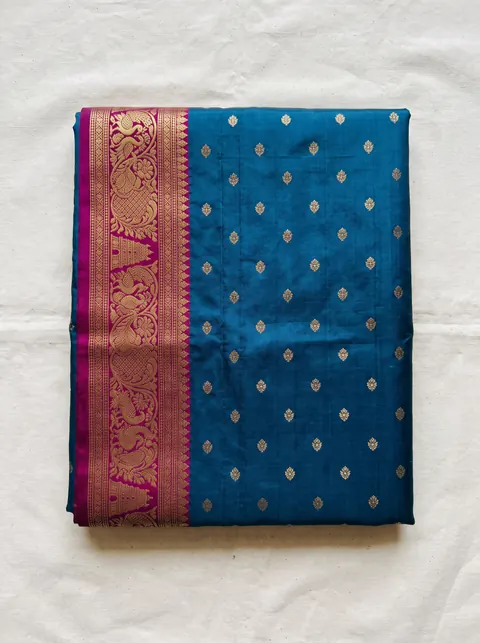
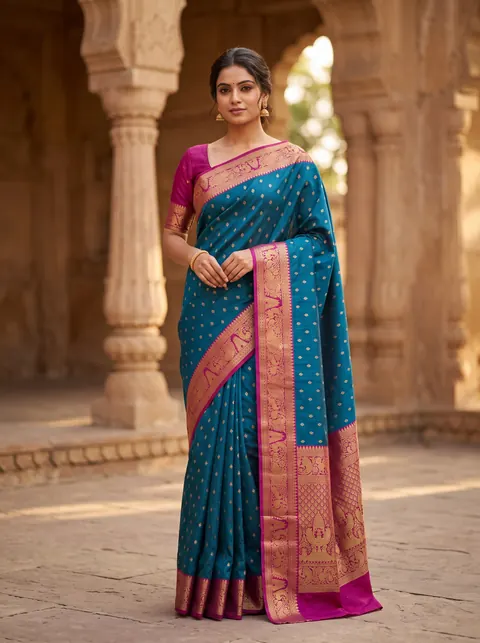
Fixing size and background is step one. DrapifyApp puts your garment on an AI model, ready for any marketplace, in about 3 minutes.
- First 2K photo free, no card
- Ready in about 3 minutes
- Full commercial rights
How to use it
- Choose a product photo.
- Tap the part of the garment you want.
- Copy the HEX or RGB value, or use the colour name.
- Tap a main colour to compare.
Who this is for
This picker is for sellers who need to name or match a colour from a photo: choosing the colour attribute for a listing, describing a shade to a dyer or printer, matching a dupatta to a kurti from a supplier’s photo, or keeping brand colours consistent on banners and social posts.
You tap the photo and get a HEX, RGB and HSL value plus the nearest of 43 common fashion colour names. The palette below shows the main colours in the photo, including background and shadows, with the share of the image each takes up.
How the reading is taken
The photo is scaled down to at most 1,100 pixels on its longest side for picking. Where you tap, the tool averages a 5 × 5 pixel square rather than reading one pixel, so a single dark thread or a bright fleck in a woven fabric does not decide the result. The name is the nearest entry in its list using a weighted RGB distance that roughly follows how people see colour differences.
The main-colours palette groups pixels into 512 colour bins (8 levels each of red, green and blue), averages each bin, and shows the six biggest with their share of the photo. A white studio background often takes the top spot, which is why the garment is usually the strongest colour that is not white or grey.
Worked example: one garment, three readings
Light changes the reading more than people expect. These are illustrative values for the same navy kurta and the same mustard dupatta tapped in a lit area, a highlight and a fold in shadow. The names are what the tool returns for each value.
| Where tapped | HEX | HSL | Name returned |
|---|---|---|---|
| Navy kurta, evenly lit | #1E2D50 | 222°, 45%, 22% | Navy |
| Navy kurta, highlight | #3A4F7A | 220°, 36%, 35% | Indigo |
| Navy kurta, fold in shadow | #141C33 | 225°, 44%, 14% | Navy |
| Mustard dupatta, evenly lit | #C79A2E | 42°, 62%, 48% | Gold |
| Mustard dupatta, fold in shadow | #8F6A1C | 41°, 67%, 34% | Olive |
Getting a colour you can rely on
- Shoot in daylight or under a daylight-balanced lamp, with the camera’s white balance on auto or daylight, not warm indoor light.
- Tap three or four flat, evenly lit spots on the garment and compare the HEX values. If they agree, use that one; if not, choose the spot that looks most like the real fabric in person.
- Ignore readings from folds, creases and shine. They mostly change the lightness value in HSL, and as the table shows, that alone can change the name.
- Hue is the most stable part of the reading. Two shots of the same fabric can differ in lightness but keep a similar hue angle.
- For a listing, the common name matters more than the exact HEX. If the tool says Gold and buyers search for mustard, use the word buyers use and keep the HEX for your own records.
Which colour is selected when the photo loads
When you open a photo, the tool does not pick the biggest colour. It picks the first colour in the palette with some real colour in it, defined as a gap of more than 25 between its highest and lowest RGB value, so a white or grey studio background is skipped. If every palette colour is neutral, it falls back to the first one. That is why a photo of a kurta on white shows the kurta’s colour first, but a black-and-white photo shows the largest grey.
Tapping a swatch in the palette selects its averaged colour, which can differ slightly from what you see if you tap the same area on the photo itself, because the palette averages a whole bin of similar pixels and the tap averages a 5 × 5 square. The palette also reads every fourth pixel of the scaled photo for speed, which does not change the result noticeably on normal product shots.
Name colours buyers search for
Marketplaces filter by colour. Using a common name like “navy” or “mustard” rather than a vague one helps your listing show up in the right filter.
Lighting changes colour
Photos under warm light look more yellow. Pick from a well-lit area and compare with the real garment.
Common mistakes
- Tapping a highlight or a fold and using that as the product colour.
- Picking from a photo that has already had a filter or heavy editing applied.
- Sending a dyer a HEX code alone. Screens and dyes differ; send a physical swatch as well.
- Naming a colour by what the palette shows first, which is often the background.
- Expecting the same HEX from the same garment photographed on two different phones.
What this tool can’t do
- The name comes from a fixed list of 43 colours, so shades between two names, and colours like mauve or mint-grey that are not on the list, get the nearest available name.
- It reads the photo, not the fabric. Camera processing, light and screen settings all change the value.
- It does not convert to print colour systems such as CMYK or Pantone.
- Picking runs on a scaled copy of large photos, so very fine details are averaged with their surroundings.
How this guide was made: drafted with AI assistance from the tool’s own calculations and behaviour, then checked against our editorial policy and approved by the founder before publishing.
Questions
- Is my photo uploaded?
- No. It is read in your browser.
- How accurate is the colour name?
- It is the closest of about 40 common fashion colour names. Check it against the real product.
- How do I find the colour code in an image?
- Add the image and click any point; the tool shows that pixel’s HEX, RGB and nearest colour name.
- How do I match a fabric colour from a photo?
- Pick a few points on evenly lit fabric and use the average. Lighting and camera settings change the colour, so compare with the real fabric.
- Can I get the main colours of an image?
- Yes. The tool lists the dominant colours as a palette.
Related free tools
- White background photoClean grey, shadowy light backgrounds to pure white, in bulk.

 +4Product title generatorBuild clean clothing titles in each marketplace’s usual word order, with a phone preview.
- +5Marketplace image checkerCheck a photo against Amazon, Etsy, eBay, Shopify, Meesho, Flipkart and Myntra specs.