
eBay image resizer
Free · No signup · Guide approved 18 November 2026 by Nirav Italiya, founder · How we check guides
What size should eBay listing photos be?
eBay needs photos at least 500 pixels on the longest side and recommends about 1600 pixels for sharp zoom. A square 1600 × 1600 photo works well in search and on phones. Add your photos to resize them with white padding or a crop, preview them live and download them together.
eBay: 1:1 ratio. Working spec, last checked October 2026; confirm in your seller panel.
Your photos stay on your device. Nothing is uploaded.
Better than resizing
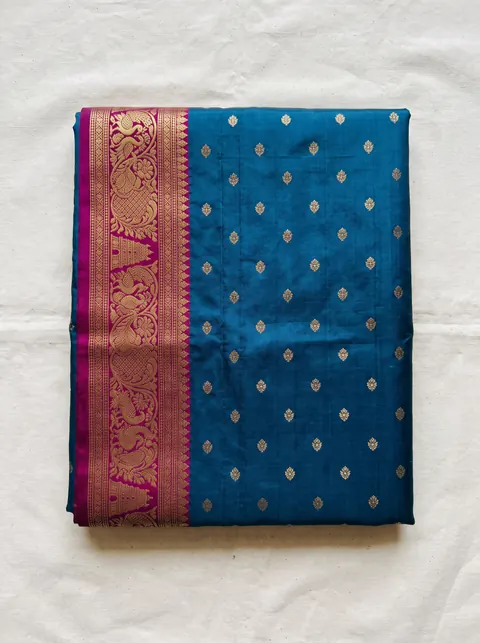
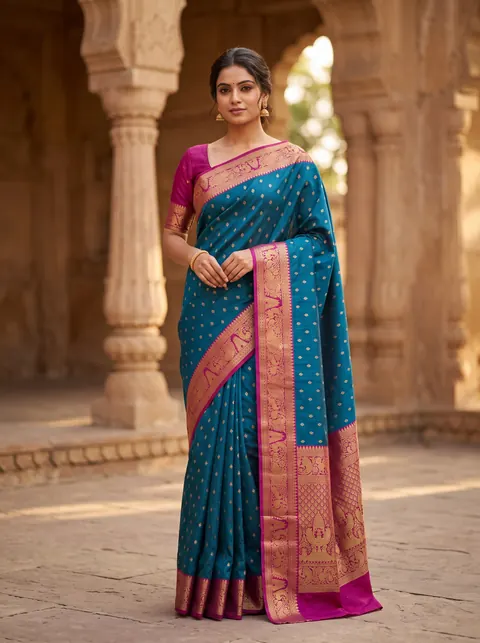
Turn a flat-lay into a model photo
Fixing size and background is step one. DrapifyApp puts your garment on an AI model, ready for any marketplace, in about 3 minutes.
- First 2K photo free, no card
- Ready in about 3 minutes
- Full commercial rights
How to use it
- Add your photos.
- Keep eBay (1600 × 1600) selected.
- Choose keep whole photo or fill the frame.
- Download them one by one or as a ZIP.
Who this is for
This tool is for eBay sellers who want listing photos at a consistent square size, which the tool sets at 1600 × 1600 pixels. It suits people who list many items from a phone, resellers who photograph clothing flat, and anyone whose photos come out too small to zoom or in mixed shapes that look uneven in search results.
You add photos, choose whether to keep the whole picture or fill the square, look at the live preview and download the results. Processing happens in the browser, so nothing is uploaded. The same page can also save a custom size, or a different marketplace’s preset, if you need one.
What happens to different shapes
A square frame suits product photos because every photo then looks the same size in a grid. Photos taken at other shapes have to be either padded or cropped, and the fit setting controls which. Here are the results for common phone and camera shapes in a 1600 × 1600 frame.
| Original | Keep whole photo | Fill the frame |
|---|---|---|
| 3000 × 3000 (square) | Scaled to 1600 × 1600 | Same, nothing cropped |
| 4000 × 3000 (landscape) | Scaled to 1600 × 1200, with 200 px of background above and below | Scaled to about 2133 × 1600; 75% of the width stays, with about 267 px cut from each side |
| 3000 × 4000 (portrait) | Scaled to 1200 × 1600, with 200 px of background on each side | Scaled to 1600 × 2133; 75% of the height stays, about 267 px cut from top and bottom |
Choosing the background
When you keep the whole photo, the leftover space is filled with the background colour you choose: white, light grey, black or a custom colour. White is the usual choice for products on a pale backdrop. If the product itself is white, the light grey option stops it vanishing into the border. If your original backdrop is grey rather than white, use the white background tool first so the padding does not look like a frame.
The page note about plain light backgrounds is general advice for search visibility. The tool does not change the photo’s own backdrop.
Zoom and sharpness
- Buyers zoom on eBay, so start from the largest original you have. The tool shows a warning if a photo is smaller than the frame, since it will be enlarged and may look soft.
- Do not resize twice. Each save as JPG re-compresses the photo, so always work from the original, not from a copy that was already resized.
- Output is saved at a high quality setting. You can choose JPG, PNG or WebP; use JPG unless you have a reason not to.
- Files are named with the original name and size, such as shirt-1600x1600.jpg.
A routine for a clothing listing
- Photograph the front, back, label, any flaw and a close-up of fabric on the same plain surface.
- Add the full set and keep the eBay preset selected.
- Use “keep whole photo” for flat-lays and garments so no edge is cropped, and check that a flaw photo still shows the flaw.
- Download the ZIP and upload in order, with the best photo first.
- Check eBay’s current photo requirements in Seller Hub before you rely on any size, since limits and recommendations can change.
Why 1600 pixels
Photos below about 1600 pixels can look soft when buyers zoom in. Larger originals are scaled down to keep files light.
Backgrounds
A plain, light background helps the item stand out in search. Use the white background tool first if your sheet looks grey.
Common mistakes
- Filling the frame on a landscape flat-lay and cropping the sleeves.
- Using a black background on a dark garment so the edges are lost.
- Resizing photos that were already compressed by a messaging app, which are low resolution to begin with.
- Forgetting to check the flaw photo after cropping, which may cut the flaw out or hide it.
- Using different fit settings for photos in the same listing.
What this tool can’t do
- It centres its crop and cannot move the focus to another part of the photo.
- The 1600 × 1600 size is a working figure; confirm current requirements with eBay.
- It does not improve exposure, remove backgrounds or fix colour.
- It is independent and not an eBay tool.
How this guide was made: drafted with AI assistance from the tool’s own calculations and behaviour, then checked against our editorial policy and approved by the founder before publishing.
Questions
- What is the minimum eBay photo size?
- 500 pixels on the longest side; around 1600 is recommended for zoom.
- Are my photos uploaded?
- No. Everything runs in your browser.
- Is this an eBay tool?
- No. DrapifyApp is independent and not affiliated with eBay.
- What is the best photo size for eBay?
- eBay asks for at least 500 pixels on the longest side, and around 1600 pixels gives sharp zoom. Square images display cleanly in search.
- How many photos can I add to an eBay listing?
- eBay allows up to 24 photos on most listings. Use them for every angle, labels and any flaws.
- Can I resize a batch of eBay photos?
- Yes. Add them all and download a ZIP.
Related free tools


More free tools: Product photos
eBay and its logo are trademarks of its owner. DrapifyApp is independent and is not affiliated with, endorsed or sponsored by eBay. Logos are shown only to identify the platform this tool is for.