The Gap Between Ajio's Rules and Reality
Getting photos approved can burn through a small fortune. The core problem is that the official ajio seller image guidelines are either incomplete, outdated, or just plain different from what the human quality check (QC) team actually wants to see. They're building a premium platform, and they expect premium, editorial-style images, even if their documentation sounds like it was written for a generic marketplace. This isn't about the rules on paper; it's about the unwritten aesthetic they enforce. We're going to compare what they say with what you actually need to do to get your listings live and selling.
Ajio Image Guidelines: Official Rules vs. Working Rules
| Criterion | Official Guideline (What They Say) | Working Guideline (What Gets Approved) |
|---|---|---|
| Model Pose | Clear, front-facing view of the product. | Editorial, slightly dynamic poses (e.g., hand on hip, slight turn). |
| Background | Pure white background is preferred. | Light grey (RGB 245,245,245) or off-white often approved, looks more premium. |
| Resolution | Minimum 1080 x 1350 pixels. | Upload at least 2000px on the longest side to ensure zoom clarity. |
| Product Cropping | Product should occupy 85% of the frame. | A little more breathing room is fine; focus on a balanced, clean composition. |
| Image Count | Minimum of 3 images per product. | Use all 5-7 slots: front, back, side, two detail shots, styled shot. |
| Prop Usage | Strictly no props allowed. | Subtle, tasteful props (e.g., a simple clutch) can pass if the shoot looks high-end. |
| Photo Editing | Colors must be natural. No heavy retouching. | Clean, professional retouching (skin smoothing, color correction) is expected. |
| File Naming | Follow the provided SKU-based convention. | Exactly this, but ensure no special characters or extra spaces trip up the system. |
Model Poses: Why Ajio Secretly Prefers Editorial Over ‘Flat’
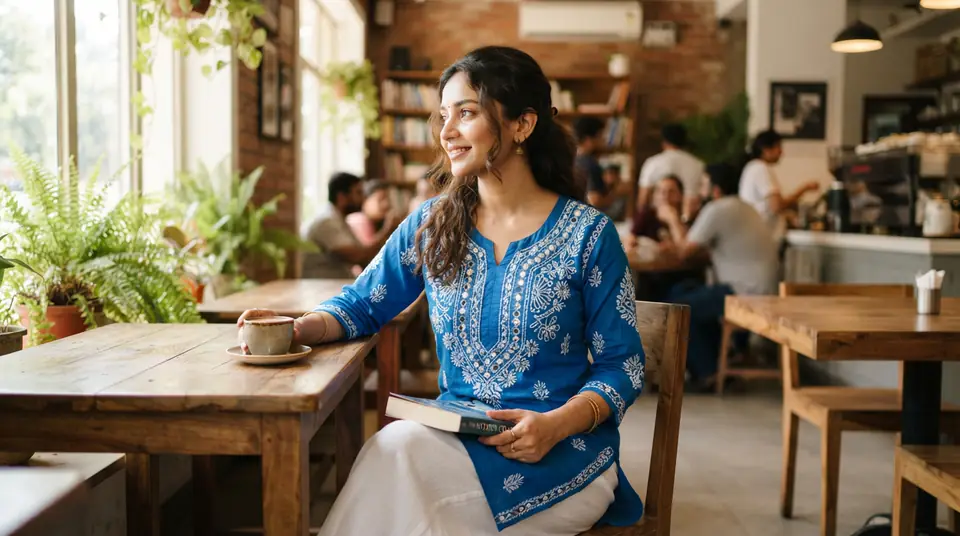
Ajio's quality control team approves editorial-style, slightly dynamic poses more consistently than the stiff, flat-on poses many sellers use, even though official docs suggest simple presentation. A completely static, 'T-pose' shot can make a beautiful, flowing kurti look like a cheap sack. Ajio is competing with brand websites, not Meesho. They want to see life in the photo.
This means a model with a hand on her hip, a slight turn to show the garment's drape, or a natural walking motion. Think magazine, not just a catalogue. This creates an aspirational feel that justifies a higher price point. Of course, getting these shots in a traditional studio costs more. You need a better model who can pose naturally and a photographer who can direct them, which adds hours and rupees to the shoot. It's a key reason sellers are exploring an AI model photoshoot which can generate dozens of poses for the same low cost.
The Truth About Ajio's 'White' Background
While most marketplaces demand a pure white RGB (255,255,255) background, Ajio often approves images with a very light grey or off-white background because it looks more premium. A stark white background can blow out the details on white or light-pastel garments, like chikankari work or subtle jacquard weaves. It can look clinical and cheap.
A soft, light grey—something around RGB (245, 245, 245)—provides better contrast for almost any color of apparel. It feels more like a professional studio environment and less like a product cut-out. This is probably the biggest unwritten rule. It's a subtle change that makes the product, and by extension the brand, look more sophisticated.
Image Slots: The Minimum vs. The Money-Making Setup
Ajio requires a minimum of 3-4 images per listing, but successful listings on the platform consistently use all available slots, which is typically 5 to 7, with a very specific shot sequence. Just meeting the minimum tells the customer you're doing the bare minimum. A full set of images answers questions before they're asked, which directly impacts add-to-carts and reduces returns.
Which Set of Ajio Seller Image Guidelines Should You Follow?
The right approach depends entirely on your brand's stage and goals. There isn't one single answer, just a trade-off between safety and standing out.
The Verdict: Play the Game Ajio is Actually Playing
Photoshoots can follow the written rules and still fail Ajio's QC for subjective reasons like 'poor aesthetics'. The lesson is clear: Ajio's brand is premium, and they want their third-party listings to look premium. They reward sellers who understand this unspoken brief.
The 'working' guidelines aren't about breaking rules; they're about understanding the platform's true aesthetic and aligning with it. Following them is less risky than it sounds because you're giving the QC team what they've been trained to approve. Stop trying to pass the test and start aiming to be the best-looking listing on the page.