Myntra · product images

Myntra product photo download: should sellers reuse them?

Downloading a Myntra product photo takes seconds. Listing it on Meesho, Amazon or your own store can cost the listing — here is why, and the faster legal alternative.

See pricing
Who owns Myntra photos Why reused images get flagged Myntra image specs Make your own in ~3 min
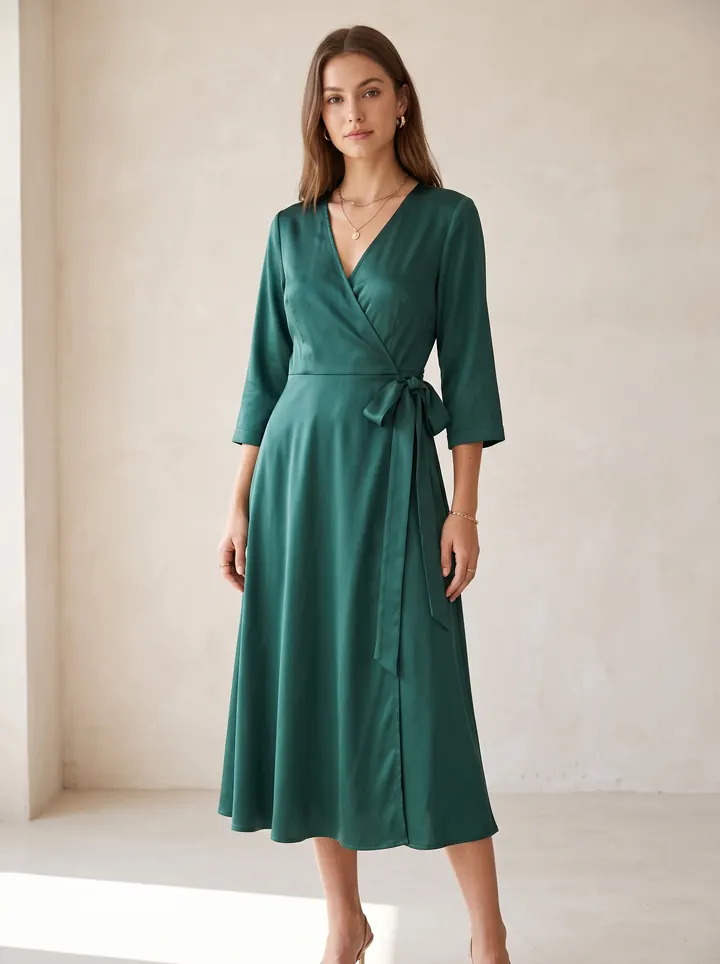
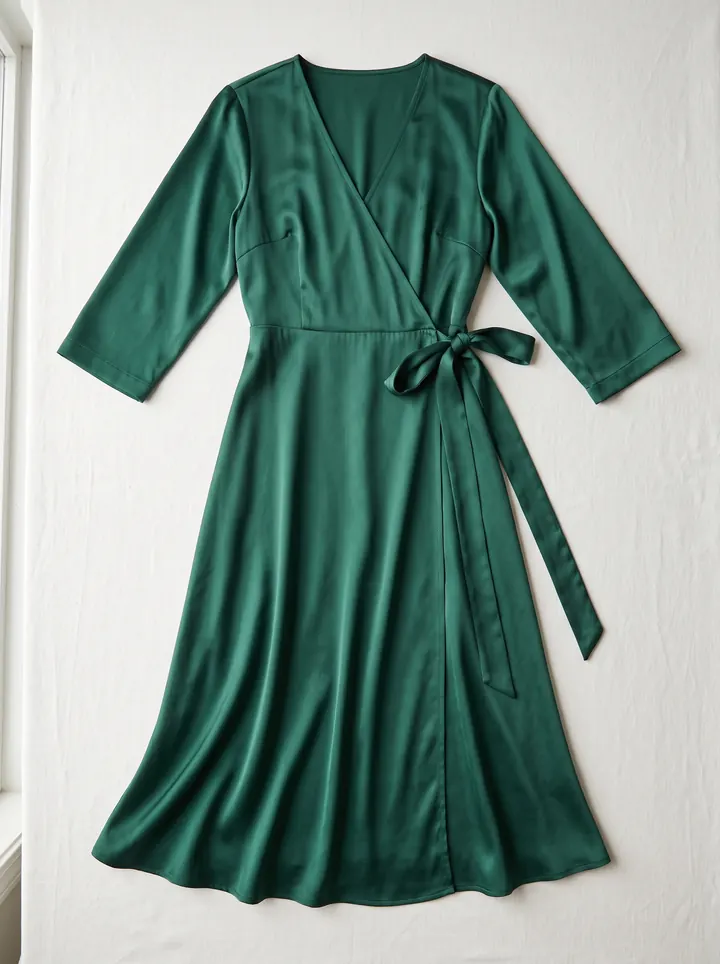
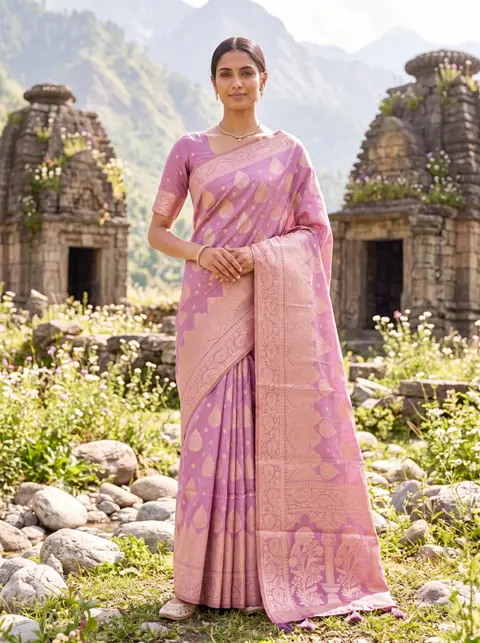
AI model wearing the dress — made with DrapifyThe dress as a plain flat-lay phone photo
Phone photo✨ Drapify
‹ ›
Drag the line

Real output · drag to compare · tap a garment

Quick answer

Can I download Myntra product photos and use them for my own listing?

No. Product photos on Myntra belong to the brand or seller who shot them, so reusing them on Meesho, Amazon, Flipkart or your own store can break copyright and marketplace image policies, leading to rejected listings or takedowns. Sellers should shoot or generate their own photos of the garment they actually stock.

Product image copyright
Product image copyright is the legal ownership of a product photograph by whoever created or commissioned it — usually the brand or seller — which means other sellers need permission before reusing that image to sell the same or a similar item.

Sellers search for ways to download Myntra product photos for two reasons: to resell the same item on another marketplace, or to use a polished image as a reference for their own catalogue. The first is where the trouble starts. A Myntra listing photo is a commissioned photograph that the brand owns, and marketplaces act on copyright complaints and copied images — so a downloaded photo that gets the listing live today can get it taken down tomorrow, often along with a strike on the seller account. The safe route is also the faster one now: photograph the garment you actually stock, even on a phone, and generate a full Myntra-spec on-model set from it.

Why traditional myntra · product images slows sellers down

  • You resell a product but have no good photos of it
  • Your own phone photos look amateur next to brand listings
  • A listing using downloaded images was rejected or reported
  • You need Myntra-spec images but cannot afford a studio day

How DrapifyApp fixes it with AI

  • Generate a full editorial set from one photo — multiple poses, angles and backgrounds
  • Fabric, print and embroidery reproduced 1:1 from your reference image
  • The same identity-locked model across every pose and colourway
  • New colour or scene in minutes — no re-shoot, no re-booking
  • Marketplace-ready ratios and pure-white backgrounds built in

Real outputs · not stock photos

What your myntra · product images photos could look like

Every photo below started as one plain garment photo. Tap any photo to see it full size.

The playbook, step by step

  1. 1

    Do not upload photos downloaded from Myntra or any other marketplace to your own listing unless the brand has given you written permission.

  2. 2

    If you are an authorised reseller, ask the brand for their official image kit — many share one with distributors.

  3. 3

    Photograph the exact piece you stock, flat or on a hanger, in daylight against a plain background.

  4. 4

    Generate on-model images from that photo so the colour, print and drape match what the buyer receives.

  5. 5

    Export at a 3:4 portrait ratio and at least 1080×1440 px so zoom stays sharp on Myntra.

  6. 6

    Keep the main image clean: no watermarks, borders, text or collages.

Why brands use Drapify for myntra · product images

Your own images, full rights

Every photo is generated from your garment and is yours to use on listings, ads and social — no licensing risk.

Marketplace-ready output

Correct aspect ratios, clean backgrounds and catalogue-grade clarity for Meesho, Myntra, Amazon, Flipkart, AJIO and Nykaa.

A full set per SKU in ~3 minutes

Upload one flat-lay and get the hero shot plus the back, detail and lifestyle angles buyers look for.

Packs from ₹199, one-time credits

No subscription and no expiry, so photographing slow-moving SKUs stops being a budget decision.

🕵️ Round 1 of 3

Can you spot the AI photo?

Tap the one you think came out of an AI.

Built for every myntra · product images business

D2C fashion brandsMarketplace sellersBoutique ownersWholesalers & resellersDesigners & studios

One upload, every sales channel

  • Website product pages
  • Myntra, Amazon & Flipkart listings
  • Instagram & Meta ad creatives
  • WhatsApp business catalogues
  • Lookbooks & campaign decks

Who owns a Myntra product photo

Every product image on Myntra was shot or commissioned by the brand or seller that listed it, and copyright sits with them, not with Myntra and not with anyone who downloads it. Being able to save an image from a web page does not grant a licence to reuse it.

That matters because marketplaces enforce it. Brands monitor their images, file infringement complaints, and marketplaces remove the listing in response — and repeated complaints can restrict the seller account, not just the one product. Image-matching also makes copied photos easy to spot, because the identical picture appears on two listings with different sellers.

The narrow exception is an authorised reseller who has the brand's permission. If that is you, ask for the brand's official image set rather than scraping it.

Myntra product image specs to match

If you are making your own images for Myntra, match the format the platform's fashion catalogue uses:

Ratio: 3:4 portrait, so images fill the product tile without cropping.

Resolution: at least 1080×1440 px; higher is better for zoom.

Background: clean and consistent across the listing, with the garment as the clear subject.

Set: a front on-model hero, a back view, a detail close-up of fabric or print, and a full-length or styled shot.

Accuracy: colour and print must match the item shipped — colour mismatch is a leading cause of fashion returns.

Exact requirements can change and differ by category, so confirm against Myntra's current partner guidelines before a large upload.

The faster legal alternative

The reason sellers reach for someone else's photo is cost: a studio day with a model runs ₹15,000–₹50,000, which is hard to justify for a reseller testing a product.

Generating images removes that reason. Photograph the actual garment you hold — a flat-lay on a bed sheet works — and an AI fashion photo tool drapes it on an Indian model in the poses and backgrounds a marketplace listing needs. Because the image comes from your piece, the print, colour and fall match what the buyer receives, and the image is yours to use on any marketplace without a licensing question.

From upload to catalogue in 3 steps

1

Upload your garment

Drop a fabric photo, flat-lay or a single product shot. No studio, no model, no setup.

2

Pick your model & scene

Choose ethnicity, body type, age, pose, background and lighting — or start from smart defaults.

3

Generate in ~3 minutes

Get a full set of identity-locked catalogue photos at up to 4K, ready to download and list.

Read the full how-it-works guide

Do the maths · 15 seconds

What are studio shoots really costing you?

Drag the slider to your catalogue size. The number at the bottom is what stays in your pocket — every month.

Photos per product

160 photos a month

Studio shoot₹80,000
Drapify₹4,320

You keep

₹75,680

every month · ₹9,08,160 a year

Every month on studio shoots costs you ₹75,680 more.

Studio at ₹500/photo vs Drapify Pro pack, HD quality. Your numbers may vary.

Pay once. Shoot forever.

No subscription. Credits never expire. Commercial rights included.

🇮🇳 Prices in ₹ INR

Starter

₹499INR

44 photos at 1K

₹11.3 per photo at 1K

or 16 photos at 2K (₹31 each)

Recommended

Pro

₹999INR

102 photos at 1K

₹9.8 per photo at 1K · 13% less per photo than Starter

or 37 photos at 2K (₹27 each)

Best value

Business

₹2,499INR

277 photos at 1K

₹9 per photo at 1K · 20% less per photo than Starter

or 100 photos at 2K (₹25 each)

Myntra · product images FAQ

Using another brand or seller’s product photo without permission is copyright infringement in most cases, and marketplaces remove listings when the owner complains. Whether it leads to legal action depends on the owner, but the listing and account risk is immediate. Only reuse images the brand has licensed to you.
First 2K photo free · No card

Try your first myntra · product images shoot free.

Add one photo of your garment and get model photos in about 3 minutes. No sign-up until you tap Generate.