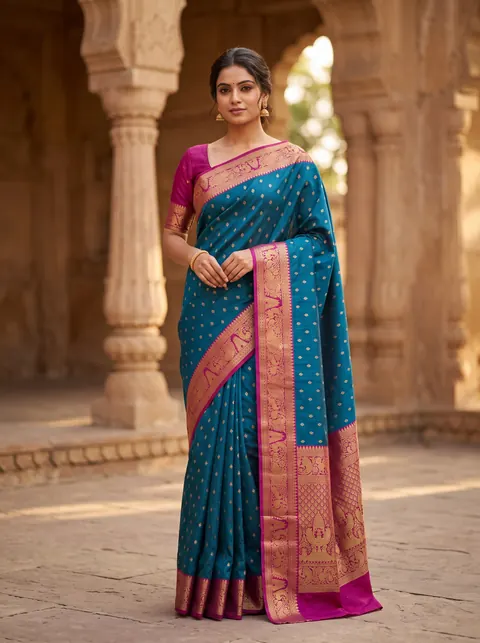
AI models · South Indian

South Indian AI models for your catalogue.

Put your own garments on south indian AI models in about 3 minutes — same face across every pose and colourway, no casting or studio.

See pricing
Your garment, true to print Same model on every SKU 1K, 2K and 4K output First 2K photo free
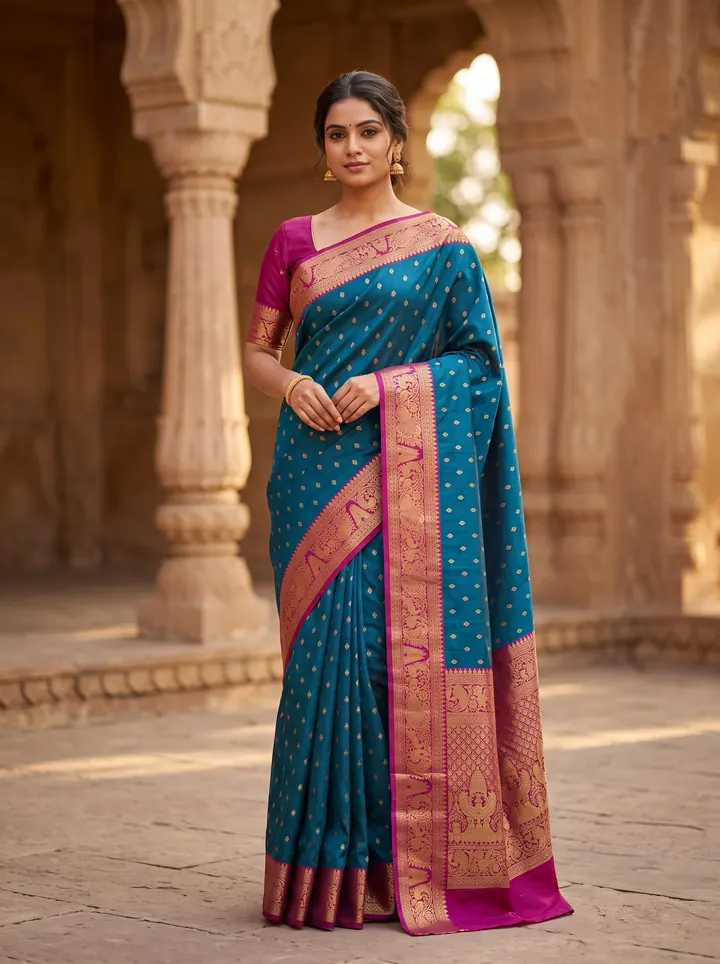
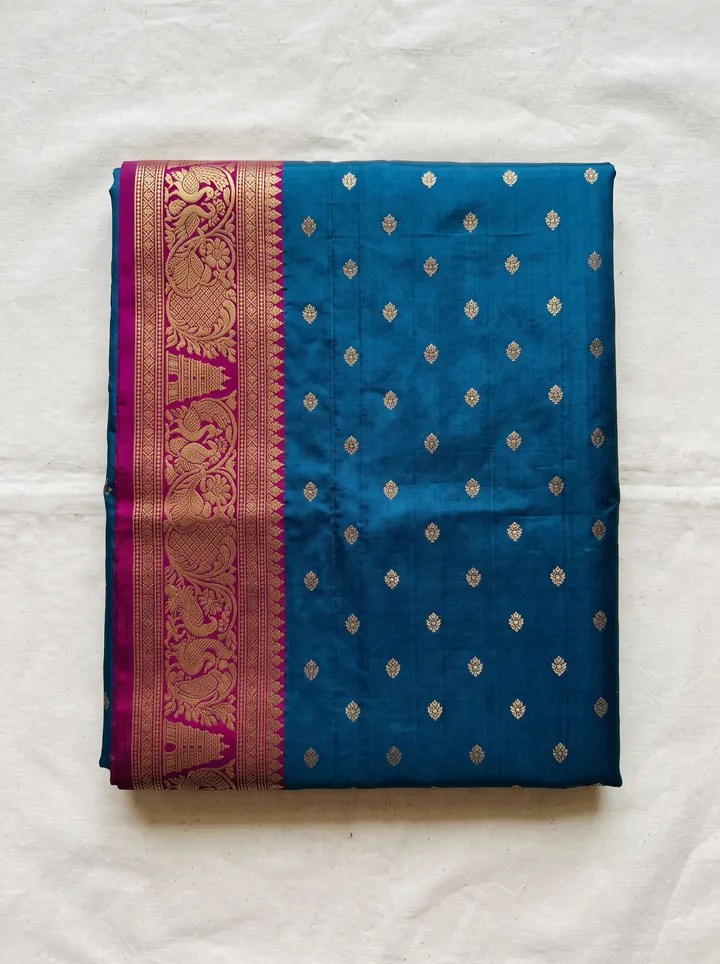
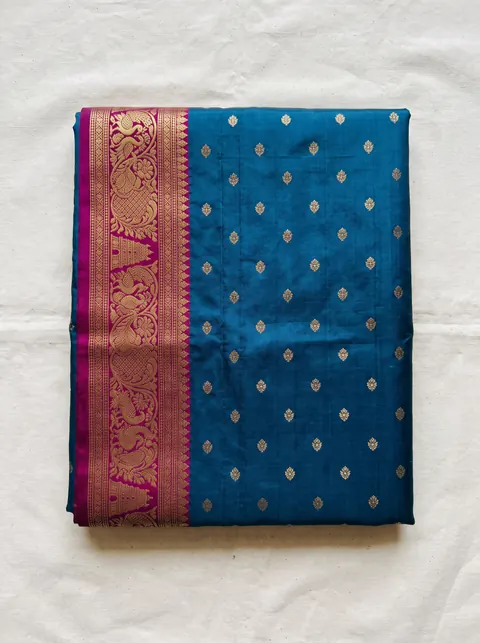
AI model wearing the saree — made with DrapifyThe saree as a plain flat-lay phone photo
Phone photo✨ Drapify
‹ ›
Drag the line

Real output · drag to compare · tap a garment

Quick answer

Where can I get south indian ai models for product photos?

You can generate South Indian AI models with DrapifyApp by choosing the Indian (South) look and uploading a photo of your saree or garment. The app drapes your actual silk, kasavu or cotton saree on the model with its real border and pallu, against backdrops like a temple courtyard or Chettinad mansion, in about 3 minutes; the first 2K photo is free.

South Indian AI models
South Indian AI models are photoreal, AI-generated people used to model clothing in catalogue and ad photos, so a seller can show a garment worn without booking a real model or studio.

Buyers of South Indian silk and handloom are specific about how a saree is worn — the drape, the jewellery, the blouse — and a catalogue shot on a model who reads as North Indian or foreign undercuts the authenticity that justifies a silk price. South Indian AI models let weavers and boutiques show Kanjivaram, Mysore silk, kasavu and cotton sarees the way their buyers expect, against temple and Chettinad settings, with the zari border and pallu reproduced from the seller’s own photo.

Why traditional ai models · south indian slows sellers down

  • Traditional ai models · south indian shoots cost ₹15,000–₹50,000 per day — studio, model, photographer and retouching all billed separately
  • Every new colour, design or season usually means booking a full re-shoot
  • Fabric texture, embroidery and print details are hard to capture consistently across a catalogue
  • Coordinating models, stylists and studios adds 1–2 weeks to every drop
  • Reformatting one shoot for Myntra, Amazon, Flipkart and Meesho specs is slow, manual work

How DrapifyApp fixes it with AI

  • Generate a full editorial set from one photo — multiple poses, angles and backgrounds
  • Fabric, print and embroidery reproduced 1:1 from your reference image
  • The same identity-locked model across every pose and colourway
  • New colour or scene in minutes — no re-shoot, no re-booking
  • Marketplace-ready ratios and pure-white backgrounds built in

Real outputs · not stock photos

What your ai models · south indian photos could look like

Every photo below started as one plain garment photo. Tap any photo to see it full size.

The playbook, step by step

  1. 1

    Front drape with the full border visible

  2. 2

    Pallu over the shoulder

  3. 3

    Zari or weave close-up

  4. 4

    Back view showing the pallu fall

  5. 5

    Temple or Chettinad lifestyle frame

Why brands use Drapify for ai models · south indian

Same model across the catalogue

Lock one model identity and reuse it on every SKU, pose and colourway so the collection reads as one shoot.

Your garment, reproduced

Print, weave, embroidery and colour come from your own photo — the buyer receives what the image shows.

One-tap marketplace packs

Amazon and Flipkart 1:1 white, Myntra 3:4 white, Meesho 4:5, Ajio and Nykaa 3:4, Shopify and Instagram 4:5 — at 1K, 2K or 4K.

Packs from ₹199

One-time credits that never expire. The first 2K photo is free, no card needed.

Colour variants · any location

One saree. Every colour. Any backdrop.

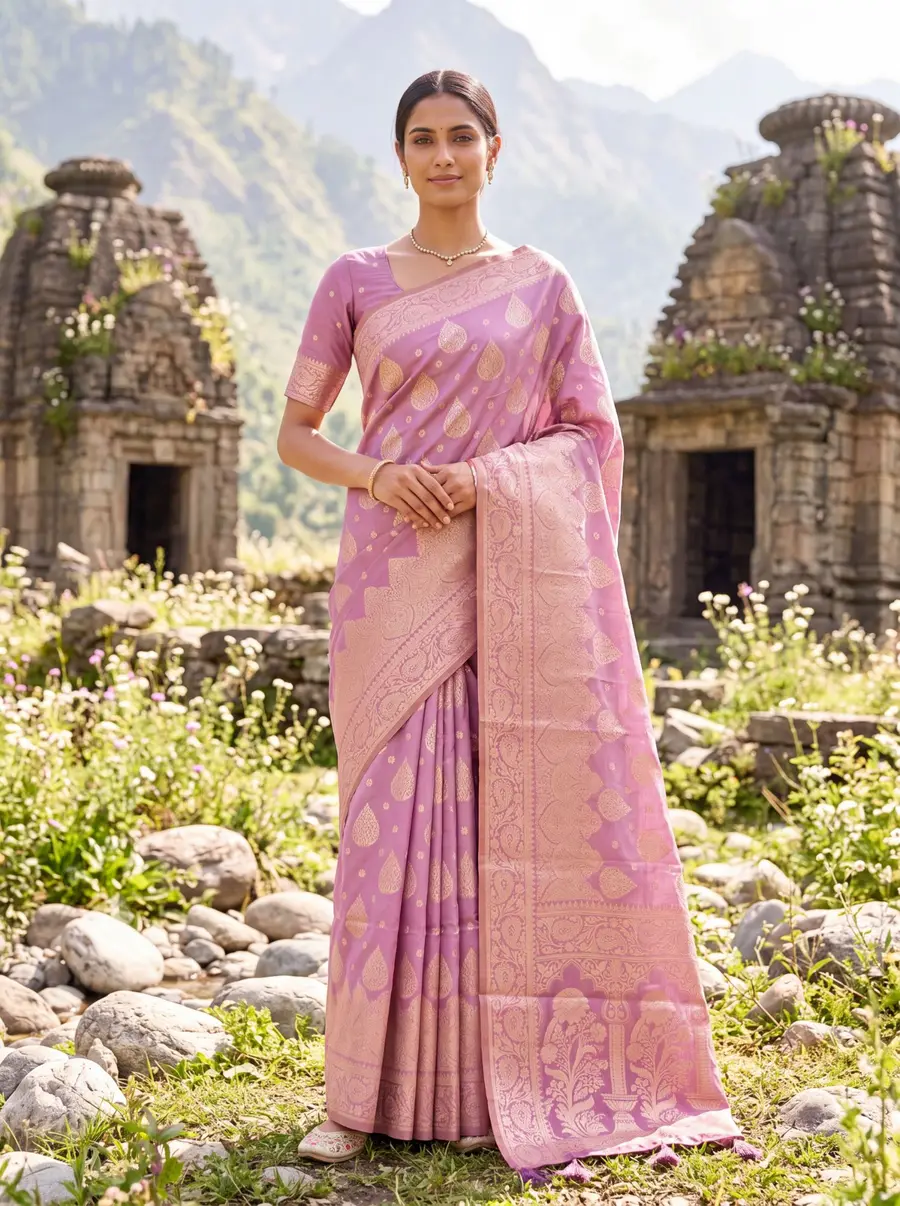
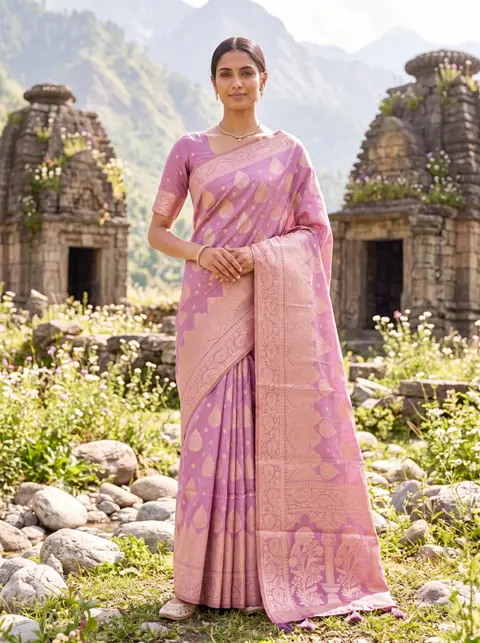
Shoot one colourway and render the rest — same weave, same pallu, same styling. Then move the whole shoot from a golden stepwell to a Himalayan temple. Go on, tap a colour.

Colourway

Location

Every colourway you don't list is a buyer who scrolls past.

Model in a lilac banarasi saree in front of Himalayan stone temples — made with Drapify

Made with Drapify

Lilac · Himalayan temple

4 colourways·2 locations·0 reshoots

Built for every ai models · south indian business

Kanjivaram and silk saree sellersKerala kasavu and cotton saree weaversHalf-saree and pattu pavadai sellersChennai, Coimbatore and Bengaluru brands

One upload, every sales channel

  • Website product pages
  • Myntra, Amazon & Flipkart listings
  • Instagram & Meta ad creatives
  • WhatsApp business catalogues
  • Lookbooks & campaign decks

How to get south indian models in DrapifyApp

Choose the Indian (South) look in the model settings, then gender, age and body type. For sarees pick the Saree garment type and set the fabric to Silk so the drape behaves like the real piece.

The Heritage backdrops include South Indian Temple, Temple Courtyard, Chettinad Mansion, Mysore Palace, Hampi Ruins and Kerala Backwaters — use a Traditional style for silk and festive wear, E-commerce on a clean studio for everyday cotton.

Styling silk and handloom

Kanjivaram and silk: full-length front pose to show the body and border, a pallu-forward pose, and a close-up of the zari. Traditional style with a South Indian Temple or Chettinad Mansion backdrop.

Kasavu (Kerala): cream and gold reads best against Kerala Backwaters or a soft, light studio background.

Half-saree and pattu pavadai: choose a Girl model in the 9–12 or 13–16 range for young festive wear.

Cotton everyday sarees: E-commerce style on a clean background — let the weave carry the image.

Keeping the model consistent across a catalogue

Buyers notice when the "same" brand shows a different face on every product. Generate your first look, keep that model, and reuse the identity for every SKU, pose and colour variant in the collection. The shoot settings — style, background, marketplace pack and quality — stay fixed too, so a 200-product catalogue looks like one day in one studio.

Change the model only on purpose: a second identity for a different line, or a different body type when you sell an extended size range.

From upload to catalogue in 3 steps

1

Upload your garment

Drop a fabric photo, flat-lay or a single product shot. No studio, no model, no setup.

2

Pick your model & scene

Choose ethnicity, body type, age, pose, background and lighting — or start from smart defaults.

3

Generate in ~3 minutes

Get a full set of identity-locked catalogue photos at up to 4K, ready to download and list.

Read the full how-it-works guide

Do the maths · 15 seconds

What are studio shoots really costing you?

Drag the slider to your catalogue size. The number at the bottom is what stays in your pocket — every month.

Photos per product

160 photos a month

Studio shoot₹80,000
Drapify₹4,320

You keep

₹75,680

every month · ₹9,08,160 a year

Every month on studio shoots costs you ₹75,680 more.

Studio at ₹500/photo vs Drapify Pro pack, HD quality. Your numbers may vary.

Pay once. Shoot forever.

No subscription. Credits never expire. Commercial rights included.

🇮🇳 Prices in ₹ INR

Starter

₹499INR

44 photos at 1K

₹11.3 per photo at 1K

or 16 photos at 2K (₹31 each)

Recommended

Pro

₹999INR

102 photos at 1K

₹9.8 per photo at 1K · 13% less per photo than Starter

or 37 photos at 2K (₹27 each)

Best value

Business

₹2,499INR

277 photos at 1K

₹9 per photo at 1K · 20% less per photo than Starter

or 100 photos at 2K (₹25 each)

AI models · South Indian FAQ

The border, motifs and colour are taken from your own saree photo and reproduced on the model. Upload a clear, well-lit photo with the border fully visible for the best result.
First 2K photo free · No card

Try your first ai models · south indian shoot free.

Add one photo of your garment and get model photos in about 3 minutes. No sign-up until you tap Generate.