
Etsy image resizer
 sellers · Independent tool, not affiliated
Free · No signup · Guide approved 18 November 2026 by Nirav Italiya, founder · How we check guides
What size should Etsy listing photos be?
Etsy recommends listing photos about 2700 × 2025 pixels, a 4:3 landscape ratio, with the shortest side at least 2000 pixels for sharp zoom. Thumbnails are cropped toward the centre, so keep the product in the middle. Add your photos here to resize them to 4:3 with a live preview and download them all at once.
Etsy: 4:3 ratio. Working spec, last checked October 2026; confirm in your seller panel.
Your photos stay on your device. Nothing is uploaded.
Better than resizing
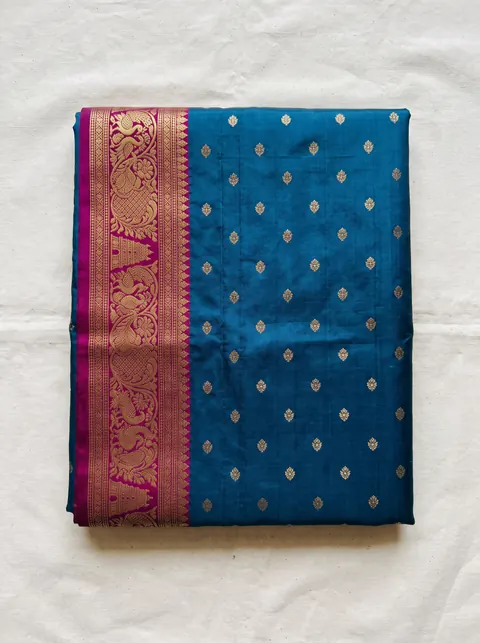
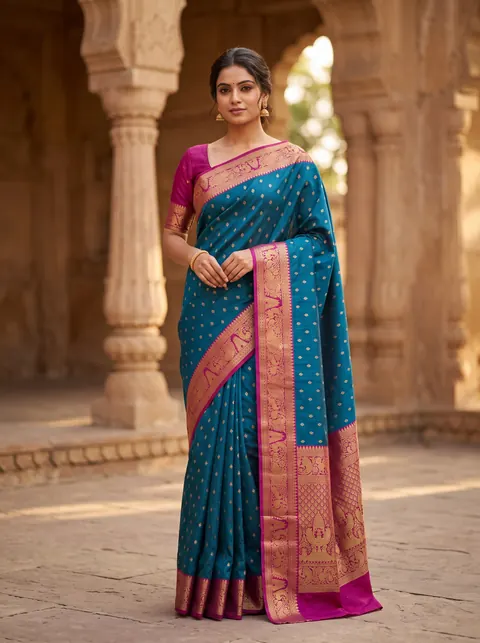
Turn a flat-lay into a model photo
Fixing size and background is step one. DrapifyApp puts your garment on an AI model, ready for any marketplace, in about 3 minutes.
- First 2K photo free, no card
- Ready in about 3 minutes
- Full commercial rights
How to use it
- Add your listing photos.
- Keep Etsy (2700 × 2025) selected.
- Choose whether to keep the whole photo or fill the frame.
- Download each photo or all of them as a ZIP.
Who this is for
This tool is for Etsy sellers who have photos from a phone or camera and need them in the shape Etsy listings use, which the tool treats as 2700 × 2025 pixels, a 4:3 landscape frame. It is useful when photos arrive as tall portraits, squares from a lightbox or mixed sizes from a photographer, and you want a consistent set for a listing without opening an editor.
You add photos, pick how they should fill the frame, check the live preview and download them one by one or as a ZIP. Everything happens in your browser, so the photos are not uploaded anywhere. The tool also lists other marketplace sizes and a custom size, so it can be used for non-Etsy work.
Keep the whole photo, or fill the frame
The fit setting decides what happens when the photo’s shape does not match 4:3. “Keep whole photo” shrinks the picture until all of it fits and fills the remaining space with a background colour. “Fill the frame” enlarges the picture until it covers the frame and crops whatever sticks out, centred. The background can be white, light grey, black or a colour you pick.
| Original | Keep whole photo | Fill the frame |
|---|---|---|
| 4000 × 3000 (4:3 camera) | Scaled to 2700 × 2025, nothing lost | Same result, nothing cropped |
| 3000 × 3000 (square) | Scaled to 2025 × 2025, with about 338 px of background on each side | Scaled to 2700 × 2700, with a quarter of the height cropped away (about 338 px top and bottom) |
| 3000 × 4000 (portrait) | Scaled to about 1519 × 2025, with about 591 px of background on each side | Scaled to 2700 × 3600; only 56% of the height stays, about 788 px cut from top and bottom |
Choosing between them
- Use “keep whole photo” for garments, jewellery and anything where a cropped edge would hide a detail or make the product look smaller. Pick a background that matches the photo’s own backdrop.
- Use “fill the frame” when the photo was shot with a plain backdrop and has spare space around the item, or when you want a close crop.
- A tall portrait photo loses more than half its height when cropped to 4:3, so check the preview before downloading. Dresses, long necklaces and anything tall often lose their ends.
- Etsy crops the first photo into search thumbnails, as the page notes say. Keep the product near the centre of the frame, with space around it.
Small photos and file size
If a photo is smaller than 2700 × 2025 the tool enlarges it and shows a warning, because enlarging cannot add detail and the result may look soft when a buyer zooms in. Reshoot, or use the original file, rather than relying on enlargement.
The tool estimates the output size for the selected photo and lets you save as JPG, PNG or WebP. JPG is the safest choice for listing photos. Saved files are named with the original name and the pixel size, for example photo-2700x2025.jpg, which helps keep sets in order.
A repeatable routine for a listing
- Shoot all angles at the highest resolution your camera offers and keep the same distance and lighting.
- Add them all at once and keep the Etsy preset selected.
- Use one fit setting for the whole set, so the thumbnail and later photos look like they belong together.
- Check each preview for cropped edges, then download the ZIP.
- Check the size and shape guidance in Etsy’s Seller Handbook before you upload, since requirements can change.
Thumbnails and cropping
Etsy shows square-ish thumbnails in search, cropped from your first photo. Keep the product centred with some space around it.
File size
Large photos load slowly on phones; the resized JPGs are sharp but much lighter than camera originals.
Common mistakes
- Using “fill the frame” on tall photos and cropping off the hem or the top of the product.
- Mixing fit settings within the same listing so the photos look inconsistent.
- Enlarging a small phone screenshot to the full size and expecting a sharp result.
- Leaving the background black when the product is dark, so the product merges into it.
- Resizing a photo that has already been compressed and re-saved many times.
What this tool can’t do
- It resizes and crops from the centre. It does not remove backgrounds or move the crop to another part of the photo.
- The 2700 × 2025 size is a working figure that the tool says was last checked on a date. Etsy’s own guidance prevails.
- It does not touch photo content, so lighting, focus and colour problems stay.
- It is independent and not an Etsy tool.
How this guide was made: drafted with AI assistance from the tool’s own calculations and behaviour, then checked against our editorial policy and approved by the founder before publishing.
Questions
- What is the best Etsy photo size?
- About 2700 × 2025 pixels at 4:3. Check Etsy’s current guidance in the Seller Handbook.
- Are my photos uploaded?
- No. Resizing happens in your browser.
- Is this an Etsy tool?
- No. DrapifyApp is independent and not affiliated with Etsy.
- What size should Etsy listing photos be?
- Etsy recommends at least 2000 pixels on the shortest side, and thumbnails crop to a 4:3 frame, so keep the product centred.
- What size is an Etsy shop banner?
- Etsy’s big banner is 3360 × 840 pixels. Keep text in the centre, because it is cropped on phones.
- Can I resize Etsy photos in bulk?
- Yes. Add a batch and download a ZIP.
Related free tools
More free tools: Product photos
Etsy and its logo are trademarks of its owner. DrapifyApp is independent and is not affiliated with, endorsed or sponsored by Etsy. Logos are shown only to identify the platform this tool is for.