The 'Good Enough' Lie: Why Your Current Photos Aren't Selling
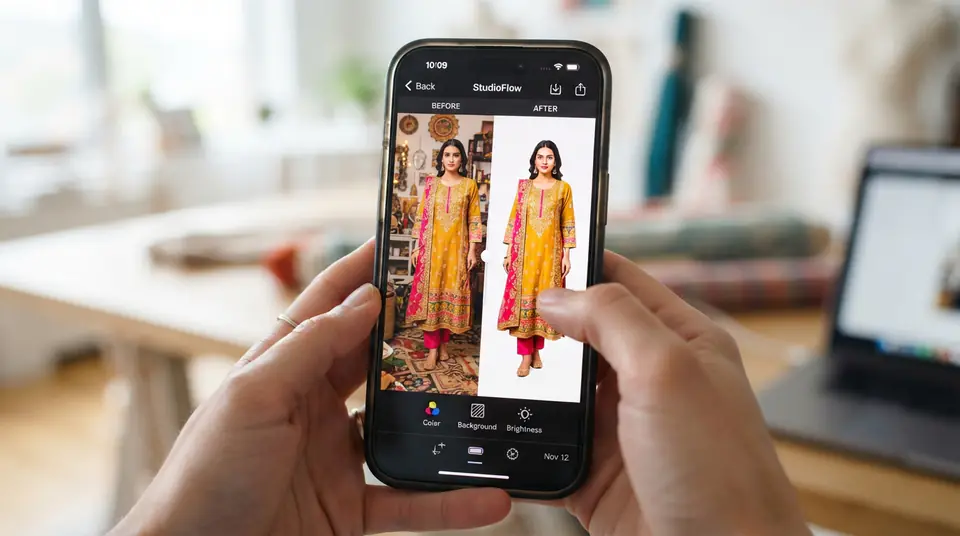
Too many sellers think 'good enough' is fine for their product photos. It isn't. Listings commonly run into image-quality problems: blur, bad lighting, inconsistent backgrounds and pixelation. Customers on online marketplaces expect professional-grade visuals, even from small boutiques in Surat or Jaipur. They're comparing your kurti or saree not just to others on Meesho, but to what they see on established brands. If your image looks amateur, they scroll past. It's that simple. And often, sellers use one general-purpose photo editing app for clothes, thinking it'll magically fix everything. It almost never does, leading to frustrating rejections and wasted advertising spend.
The biggest mistake I see? Trying to do too much with a single app. Each task – background removal, colour correction, resizing – needs a specialist tool if you want a truly polished result. Relying on a single 'do-it-all' app usually means you'll compromise on quality somewhere. And those compromises? They cost you money.
It's Not One App, It's the Job: Matching Tools to Tasks
When looking for the best photo editing apps for selling clothes, you quickly realize there's no single superhero app. Instead, you need a small toolkit, each app excelling at a particular job. Think of it like this: you wouldn't use a screwdriver to hammer a nail, right? Same principle applies here. Different tasks require different solutions.
A Practical Kit: Which Tool for Which Job
Here is a lean editing kit. These aren't just guesses; these are apps that deliver consistent, marketplace-compliant results for Indian fashion sellers.
1. Background Removal: PhotoRoom. This app is incredibly powerful for removing backgrounds cleanly. It's fast, accurate, and saves you hours. For a saree or a complex lehenga, it does a much better job than generic apps that leave fuzzy edges. Most marketplaces (Myntra, Amazon, Meesho) demand a pure white background (RGB 255, 255, 255), and PhotoRoom helps you get there without fuss. Manually erased backgrounds rarely look good, so use a dedicated tool here.
2. Colour Correction & Minor Retouching: Adobe Lightroom Mobile / Snapseed. These are your heavy lifters for making colours pop and correcting exposure. Lightroom Mobile offers professional-grade controls, even on a phone, and Snapseed (Google's offering) is surprisingly capable for quick tweaks. Your product's colour must be accurate to avoid returns – a common reason customers send back an item is "colour not as expected." A slightly faded red kurti in a photo can easily disappoint a customer expecting a vibrant one. Master white balance and colour saturation; it's crucial.
3. Batch Resizing & Compression: Image Size / TinyPNG (website). Marketplace image requirements are strict. You can't just upload a massive, high-res file from your DSLR or phone. It'll be slow to load, or worse, rejected outright. 'Image Size' (a simple mobile app) helps you quickly resize photos to specific pixel dimensions (e.g., 2000x2000 px for Myntra). For compression without losing too much quality, I'll often use TinyPNG's website on my laptop, even if I'm doing most editing on my phone. Don't upload a 5MB image if 500KB will do. Your page load speed affects conversions, especially in India where network speeds vary wildly.
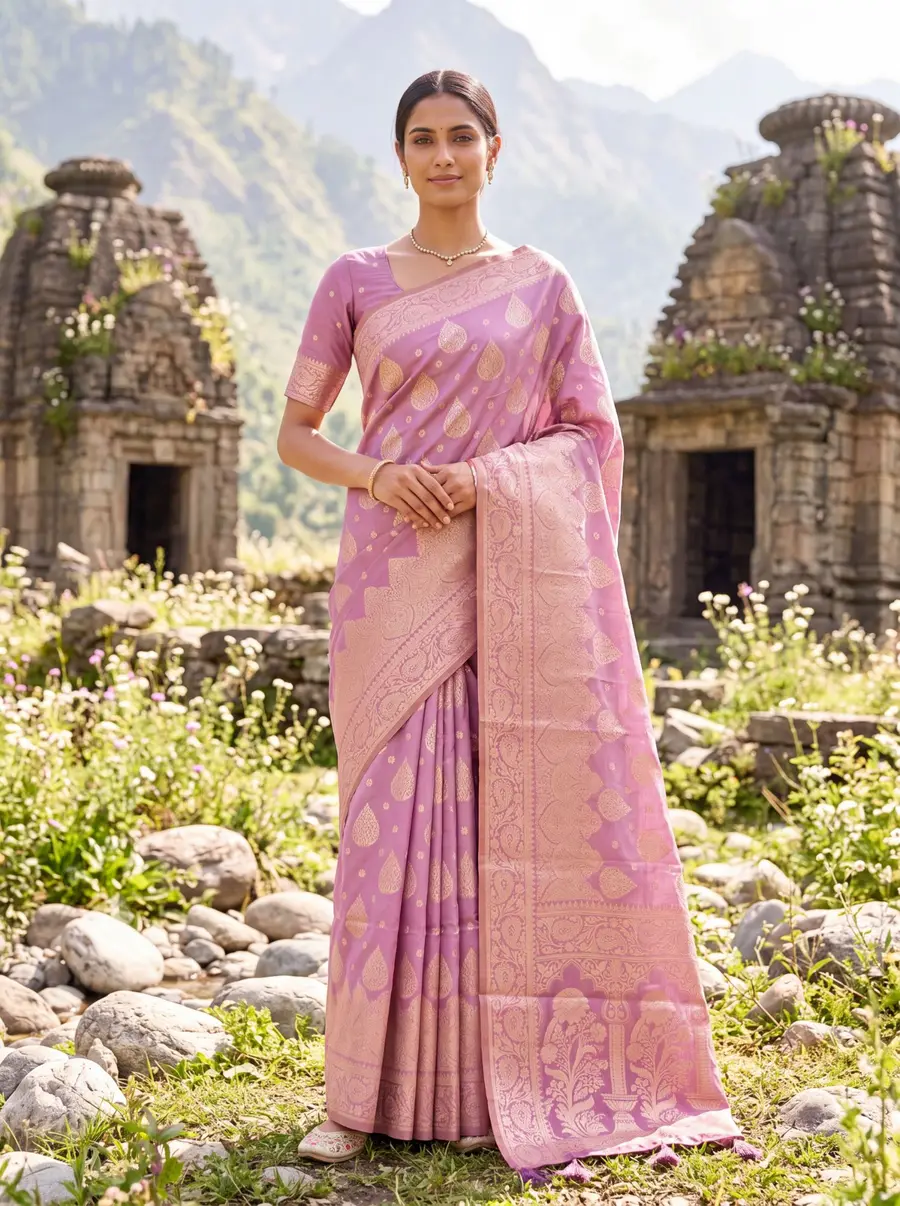
4. On-Model Photos from Flat-Lays: DrapifyApp. This is where the real time and money savings happen. Let's be honest, traditional photoshoots are a pain. Booking models, studio time, photographers – it all adds up. And for every colour variant? More shoots. That's why tools like DrapifyApp have become so powerful. You upload a flat-lay product photo, and its AI puts your garment on a diverse range of Indian models, in various poses and backdrops, in about 3 minutes. It's not just a fancy edit; it completely bypasses the need for a physical shoot for on-model shots. This is a must-have for scaling a fashion business without scaling your photography budget. Imagine generating model photos for an entire new collection of kurtis while sitting in your Delhi shop, rather than waiting weeks for a studio slot.
Marketplace Specifics: What Amazon, Myntra, and Meesho Actually Want
Meeting marketplace image guidelines is non-negotiable; ignoring them means your listings get rejected, or worse, suppressed. Each platform has its quirks, but they all share a core demand: high-quality, professional, and consistent product imagery. Here’s a quick rundown of the common requirements you need to nail with your photo editing apps for selling clothes:
| Marketplace | Min Resolution (px) | Max File Size | Background Rule | Model Requirement |
|---|---|---|---|---|
| Myntra | 2000x2000 | 1.5 MB | Pure White (RGB 255,255,255) | Mandatory on-model (front, back, side) |
| Amazon India | 1000x1000 | 10 MB | Pure White (RGB 255,255,255) | Required for apparel; diverse poses |
| Meesho | 500x500 | 500 KB | White/Light Grey | Recommended, but flat-lays acceptable if high quality |
| Flipkart | 1000x1000 | 5 MB | Pure White (RGB 255,255,255) | Required for fashion items |
(As of 2026, always check the seller panel for the latest changes. These specs can shift with policy updates.) Failing to meet these, even by a few pixels, will get you flagged. A lot of sellers in Bengaluru running D2C brands assume their Shopify images are fine for Myntra – they aren't, usually. The image resolution and file size are often too low, and Myntra's QC is notoriously strict about model poses and clear shots of garment details. This is where dedicated editing and AI tools really shine, ensuring every photo you upload is compliant. DrapifyApp, for example, generates images at 2K and 4K resolution, easily meeting the high bar set by Myntra. This not only avoids rejections but also lets you focus on increasing sales on Myntra rather than fixing image errors.
Beyond Basic Edits: The Cost of 'Almost There' Photos
The real cost of 'almost there' photos isn't just rejections; it's lost sales and higher return rates. A blurry photo, or one with inaccurate colours, translates directly into customers clicking away, or worse, buying and then returning the item because it didn't match the image. Consider a Surat saree wholesaler selling 60 orders a day during Diwali. If just 5% of those sales are lost due to poor images, that’s 3 sarees a day. At an average price of ₹1,500 per saree, that’s ₹4,500 in lost revenue daily. Over a 30-day festive season, that's ₹1,35,000! And that's before accounting for return shipping costs and restocking fees for items that do come back. That's a huge hit to profitability just because you skimped on your visual content.
₹4,500
Daily lost revenue from poor photos
1.35 Lakhs
Festive season revenue loss for an active seller
Investing in the right photo editing apps for selling clothes – even if it means paying a small subscription for PhotoRoom or Lightroom Mobile, or using an AI tool like DrapifyApp – pays for itself many times over. DrapifyApp, for instance, offers credits from ₹199 with no subscription, and even gives you a free 2K photo to start. Compared to typical studio photoshoot costs (which can be ₹18,000-₹35,000 for a one-day catalogue shoot in Jaipur), the per-photo cost for AI-generated models is miniscule – as low as ₹9 per 1K resolution photo. This makes high-quality, on-model photography accessible even for small boutique owners, allowing them to compete with larger brands without the prohibitive expense.
Who This Isn't For (And What To Do Instead)
This approach of piecing together specific photo editing apps for selling clothes isn't for everyone, especially if you have a massive catalogue or incredibly complex garments. If you're launching a high-fashion designer collection with intricate embroidery and need highly artistic, editorial-style shots with specific lighting and sets, then a traditional photography studio in Mumbai or Delhi might still be your go-to. Those shoots capture a vibe that generic editing can't replicate. Also, if you’re a photographer yourself, you might prefer the absolute control of a full desktop suite like Adobe Photoshop.
But for the vast majority of Indian fashion sellers – especially those on Meesho, Amazon, Flipkart, Myntra, or managing WhatsApp/Instagram catalogues – this multi-app strategy, combined with AI solutions for on-model shots, is the smartest, most cost-effective path. It gives you the professional edge without draining your bank account or demanding weeks of your time for every new product variant. For instance, creating AI-generated model photos for sarees in minutes can scale your inventory visibility without the logistical headache of traditional shoots.