
Resize and compress image to 20 KB
Free · No signup · Updated November 2026 by the DrapifyApp team
How do I resize an image to 20 KB?
Add your photo or signature and download a JPG under 20 KB. At this size the tool usually has to reduce pixel dimensions as well as quality, so crop to the face or signature first for the clearest result. Everything happens in your browser.
Your photos stay on your device. Nothing is uploaded.
Better than resizing
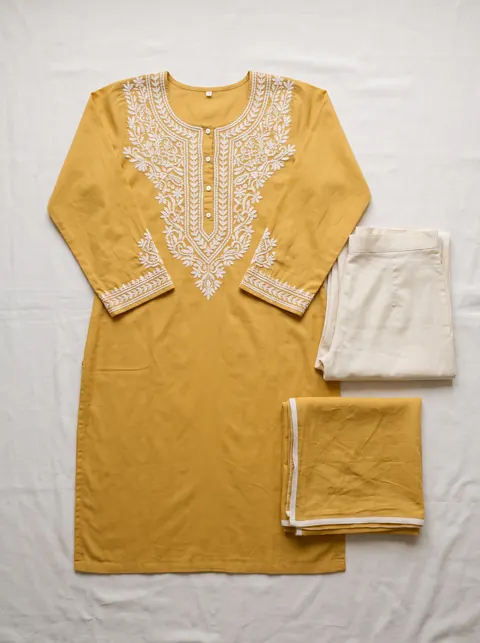
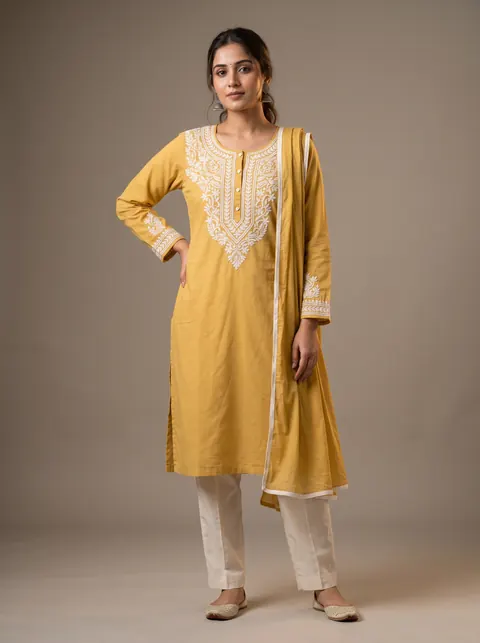
Turn a flat-lay into a model photo
Fixing size and background is step one. DrapifyApp puts your garment on an AI model, ready for any marketplace, in about 3 minutes.
- First 2K photo free, no card
- Ready in about 3 minutes
- Full commercial rights
How to use it
- Crop the photo to just the face or signature.
- Keep 20 KB selected and add the image.
- Check the result looks clear enough.
- Download the JPG.
20 KB is very small
A 20 KB JPG holds roughly a small passport-style photo. Large, detailed photos will be scaled down a lot, so crop first.
Signatures
Sign with a dark pen on plain white paper and photograph it in good light. High contrast keeps a signature readable at small sizes.
Questions
- How do I make a photo 20 KB?
- Add it here with 20 KB selected. The tool finds the best quality and size that fits.
- Why does my photo look smaller?
- At 20 KB the tool often has to reduce pixel dimensions to fit. Cropping first keeps more detail where it matters.
- Is my document uploaded?
- No. It stays on your device.