
Compress image to 50 KB
Free · No signup · Updated November 2026 by the DrapifyApp team
How do I compress an image to 50 KB?
Add your photo and it comes back as a JPG under 50 KB, at the highest quality that fits. The tool first lowers JPG quality, then reduces pixel size only if it has to. It runs on your device, so documents and photos are never uploaded.
Your photos stay on your device. Nothing is uploaded.
Better than resizing
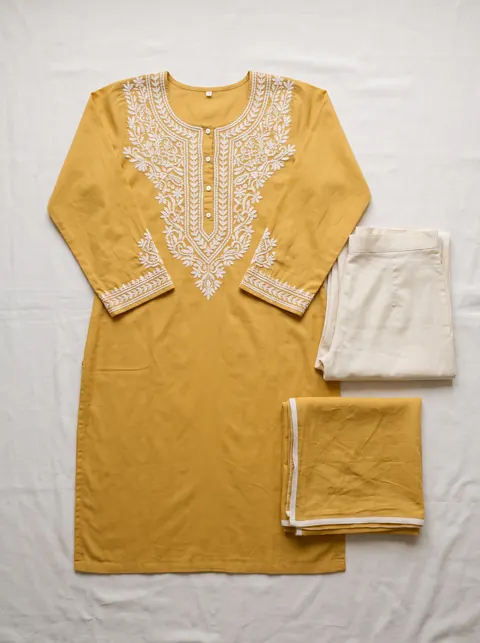
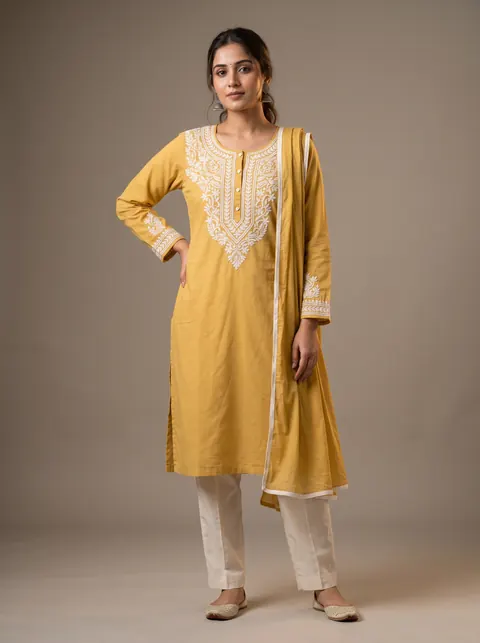
Turn a flat-lay into a model photo
Fixing size and background is step one. DrapifyApp puts your garment on an AI model, ready for any marketplace, in about 3 minutes.
- First 2K photo free, no card
- Ready in about 3 minutes
- Full commercial rights
How to use it
- Keep 50 KB selected.
- Add your photo or document scan.
- Check the new size shown beside it.
- Download the JPG.
Check the pixel size too
Many forms set both a file size and pixel dimensions. If yours names dimensions, set them with the image resizer first, then compress.
Documents and signatures
Crop away empty borders before compressing; less image area means more quality left for the part that matters.
Questions
- How do I reduce a photo to 50 KB on my phone?
- Open this page in your phone’s browser, add the photo and download the result. No app is needed.
- Will it be exactly 50 KB?
- It will be just under, such as 47 KB. Quality steps change the size in small jumps.
- Is it safe for ID documents?
- Yes. The file is processed on your device and never uploaded.